Accept Lightning payments

Accept Lightning payments

Do you already accept Bitcoin payments but your Bitcoin payment provider does not support the Lightning payment option?

For example, if you use a crypto payment provider such as Coinbase or crypto.com or share someone’s BTCPay server, the Lightning payment option is not available.

However, if you offer your customers crypto payments, there is no way around Bitcoin payments via the Lightning network.

Especially in times of high Bitcoin transaction fees, Lightning is the cheap and efficient option for lightning-fast Bitcoin payments.

Here, Coinsnap offers a supplement to the crypto payment providers already in use:

Integrate Coinsnap into your online store alongside your existing Bitcoin payment method.
In the list of payment methods available to the customer, you designate the Coinsnap function as a Lightning payment and add the Lightning logo.

If the customer wants to pay with Bitcoin, they use the Bitcoin-only payment provider.
If the customer wants to pay with Lightning, they can choose Lightning payments via Coinsnap.

If your customer accidentally selects Lightning and still pays with a Bitcoin wallet, you will not lose any revenue.
This Bitcoin on-chain payment is also processed and forwarded to your Lightning Wallet.

You don’t lose any sales.
Quite the opposite.
You offer customers who want to pay with Lightning a way to pay with you.
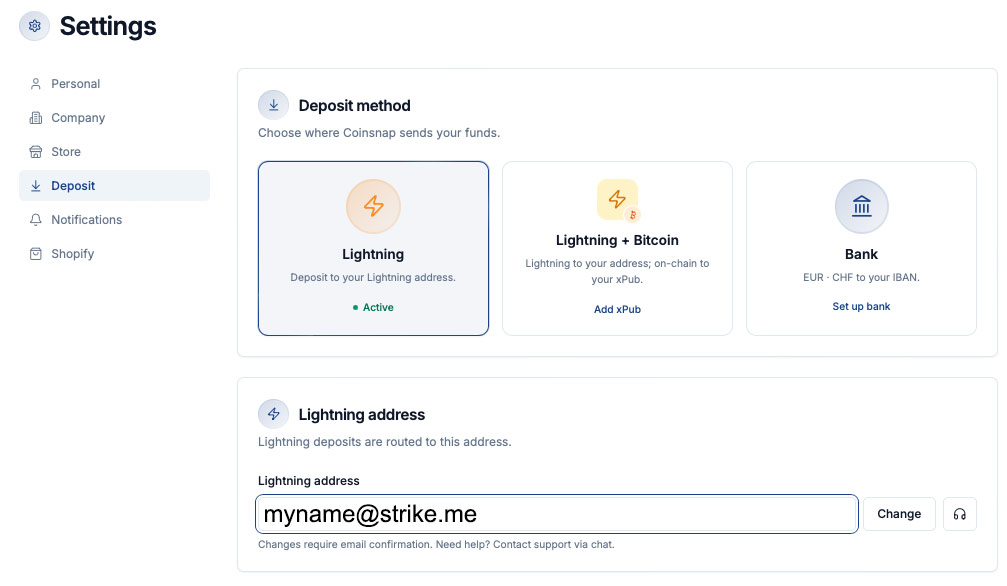
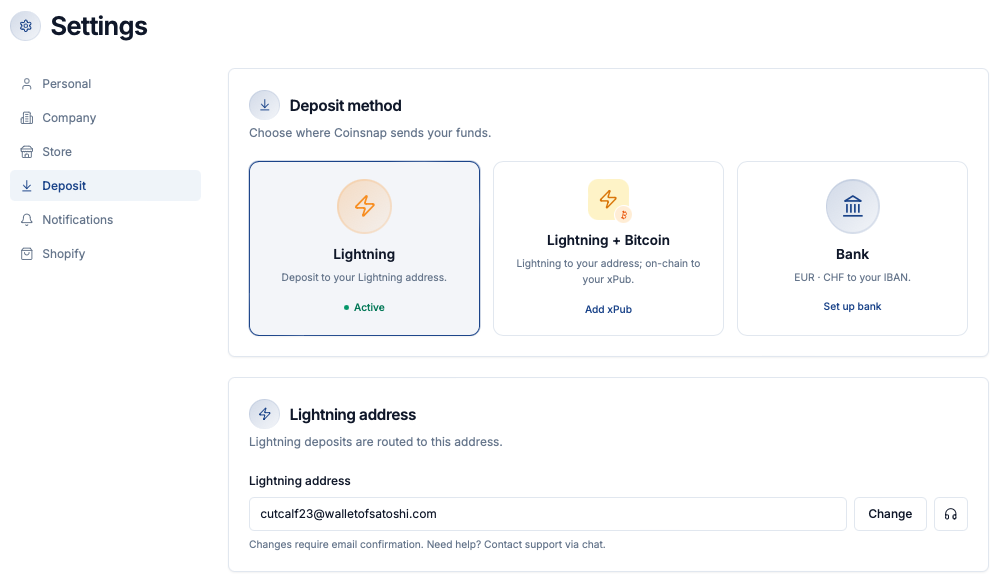
Open an account with Coinsnap and enter your Lightning address.
You then integrate the appropriate Coinsnap payment module into your store system.
The exact procedure is described under “Getting started“.

On the selection page of the supported payment methods in your store, change the description text for your customers from Bitcoin+Lightning to Lightning.

Your customers will be informed that they can pay with Lightning in addition to Bitcoin and other cryptocurrencies.

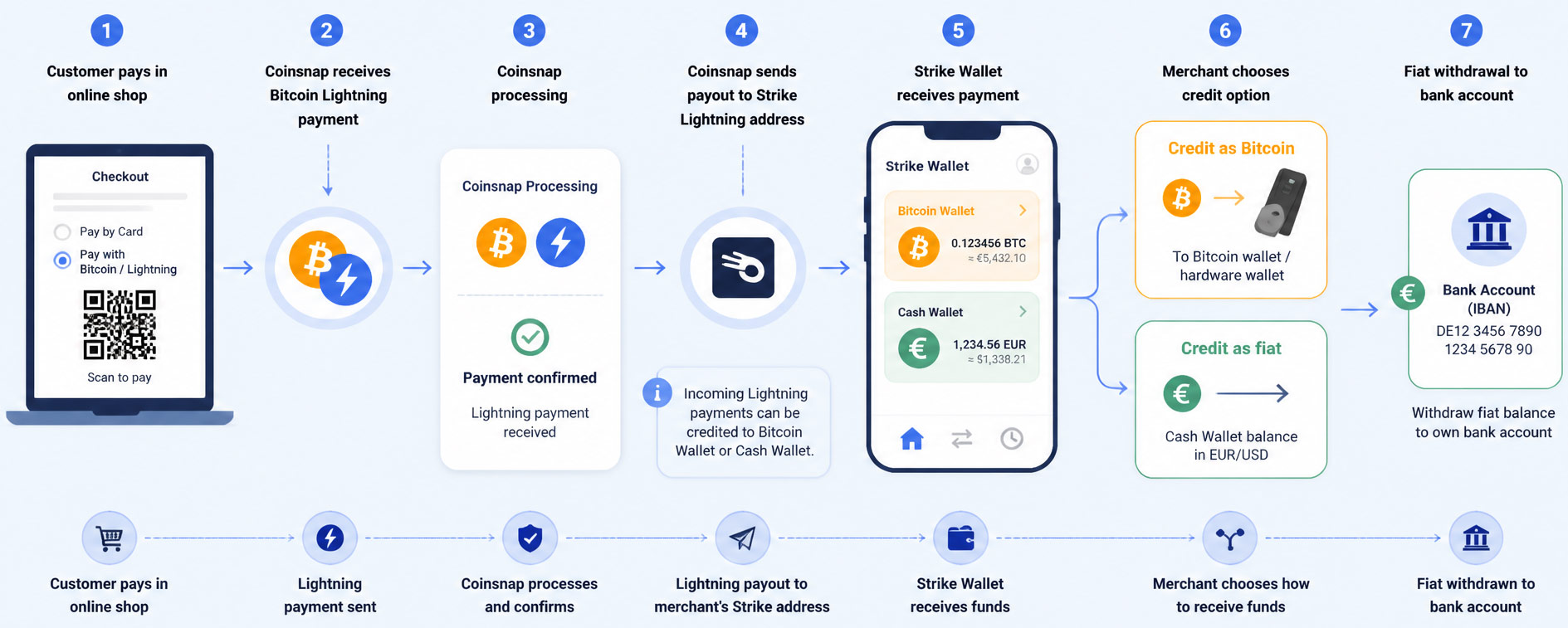
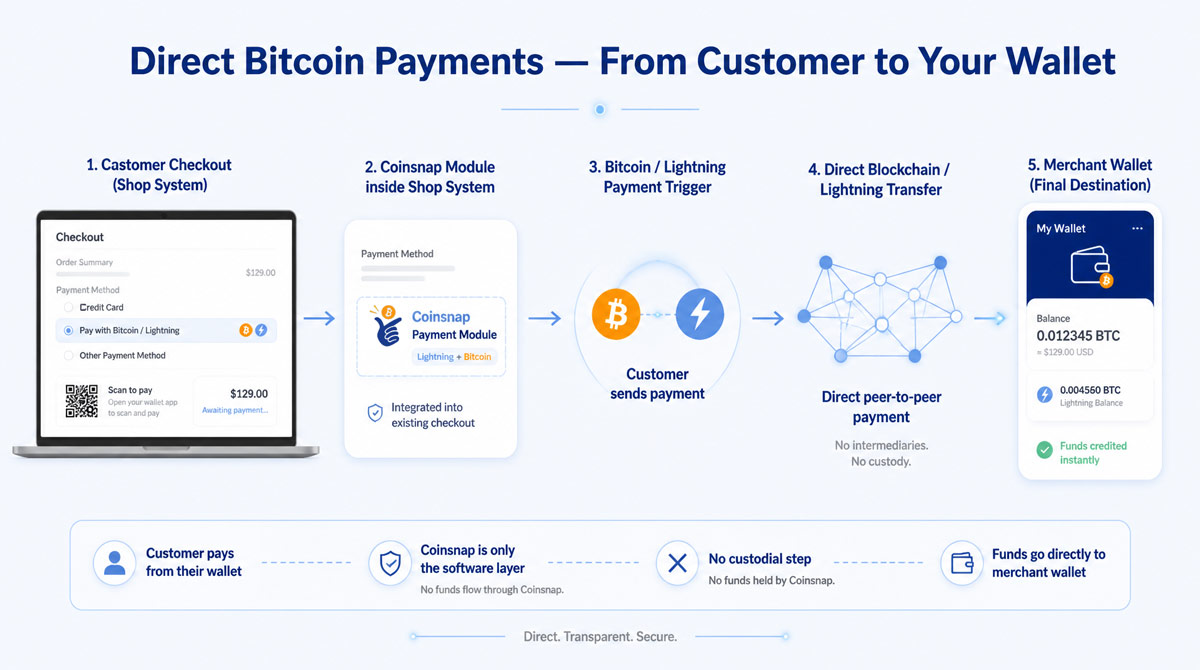
The sales of your customers who pay with Lightning in your online store will be credited directly to your own Lightning Wallet.

How to Set Up Wallet of Satoshi and Receive Bitcoin Instantly

How to Set Up Wallet of Satoshi and Receive Bitcoin Instantly

The Bitcoin and Lightning sales in your online store are credited directly to your own Bitcoin wallet. You will need a Bitcoin Lightning wallet with a Lightning address.

Wallet of Satoshi is such a Lightning wallet with a Lightning address and we will explain how to get it here.

You have two options for obtaining the Wallet of Satoshi.

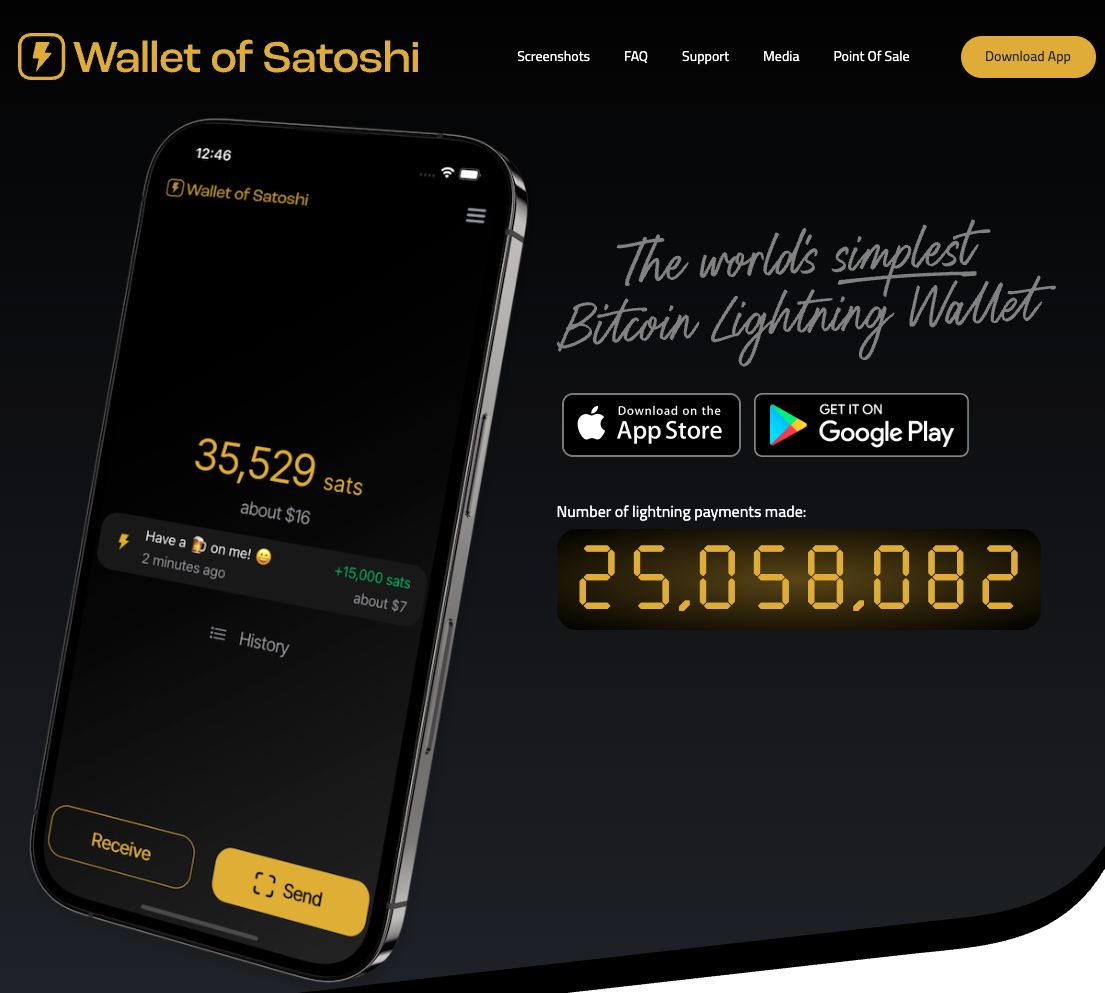
Either you go to the website https://www.walletofsatoshi.com/ and there you will find the two download options for the App Store or Google Play.

Or you can go directly to the store on your smartphone and search for the Wallet of Satoshi.


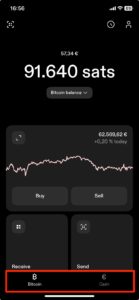
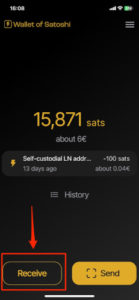
After you have started the Wallet of Satoshi on your smartphone, you will see a Receive button at the bottom left. Click on it.

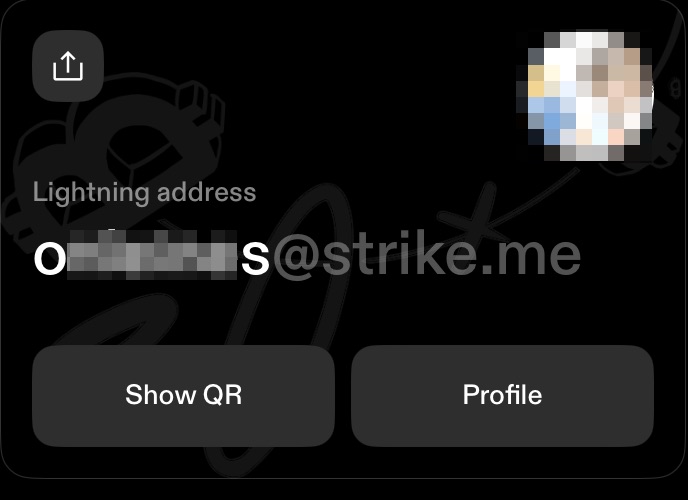
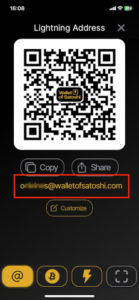
The adjacent window opens. Below the QR code you will find the Lightning address, which looks like an e-mail address. This is your Lightning address, which you can give to anyone you want to receive sats from.

You store this Lightning address with Coinsnap.

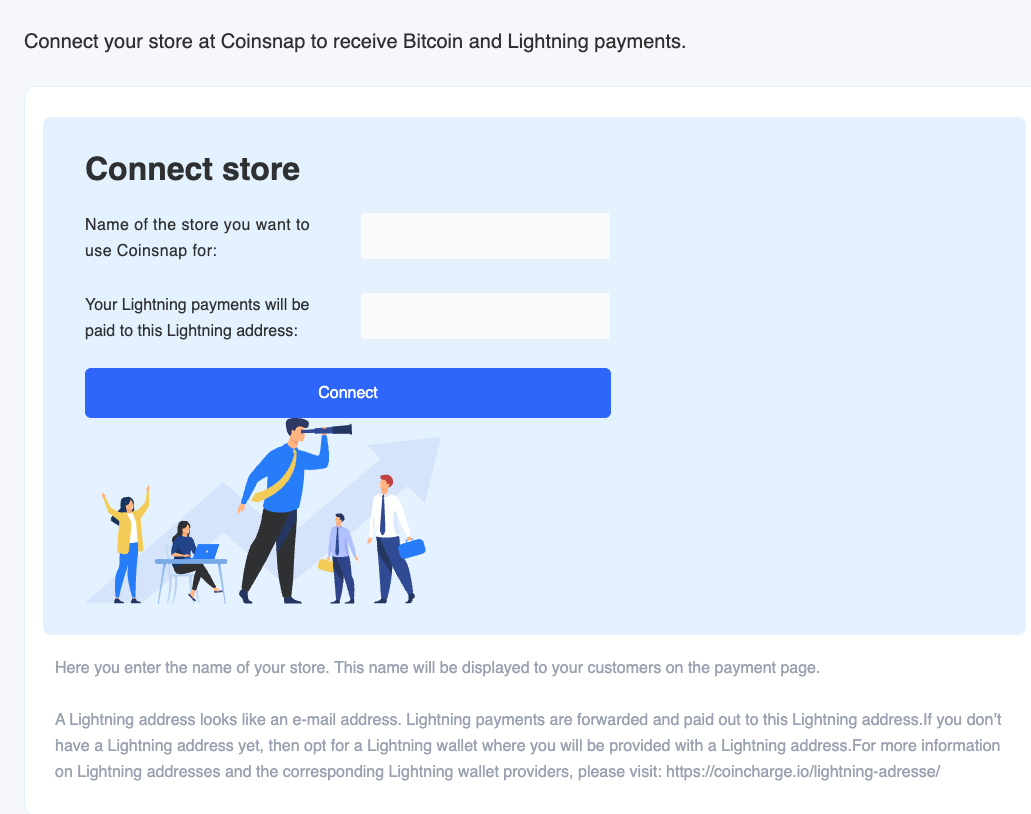
You can do this when you log in to Coinsnap for the first time. You will be asked for your company name and your Lightning address. In the second line, enter the Lightning address that you received from Wallet of Satoshi.

Your customers’ Bitcoin and Lightning payments are then forwarded to this Lightning address and credited to your Lightning wallet, in this case Wallet of Satoshi.

Coinsnap Payment Plugins

Payment plugins: fast integration into the store system

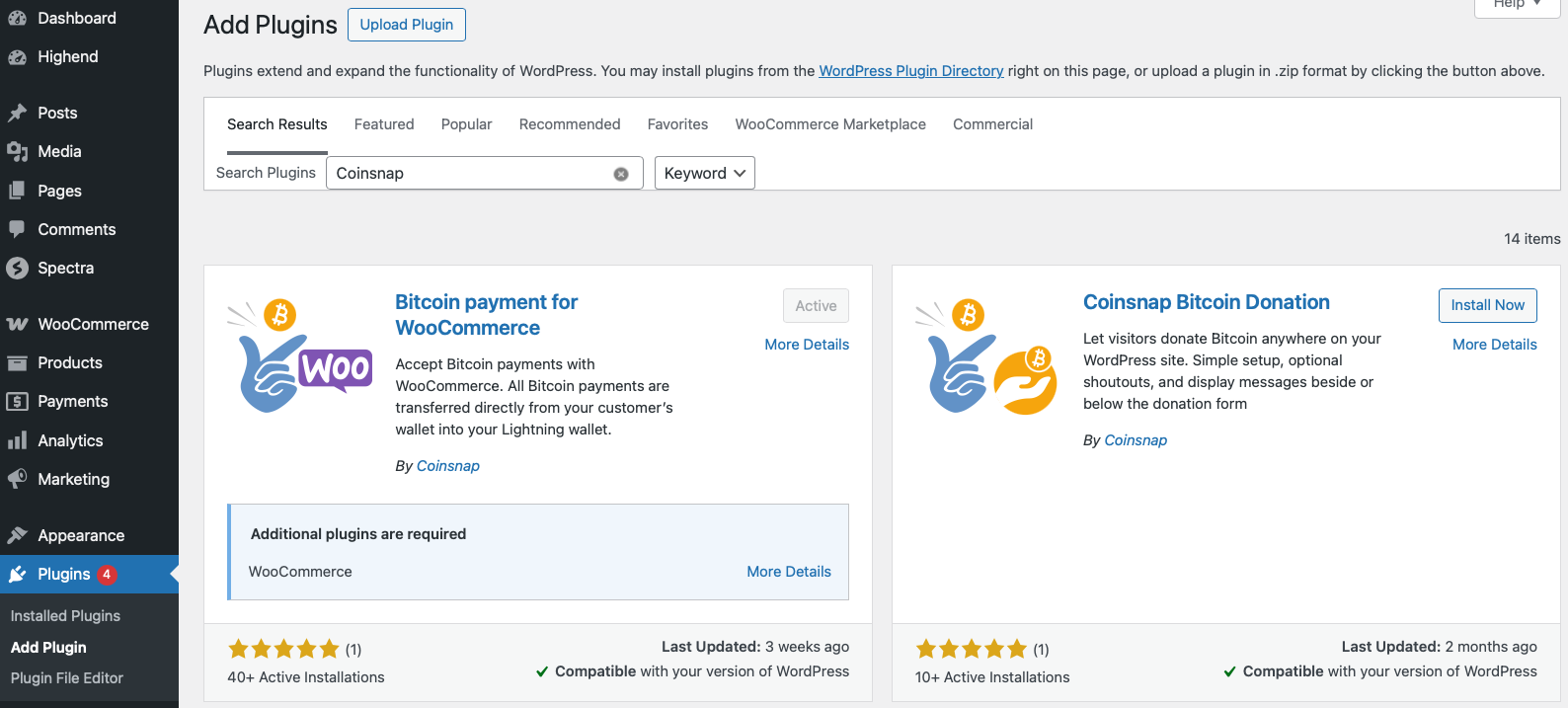
To facilitate the technical integration, we provide payment plugins for online stores and internet services. Payment plugins are ready-made payment modules that establish a connection between the internet store or website and Coinsnap.

You can download these plugins, install them yourself in a few steps without any technical knowledge and thus integrate Bitcoin and Lightning payment processing into your website.

We provide payment plugins for the most common store systems. These payment plugins are regularly updated by Coinsnap and its partners and are provided free of charge. The development of new plugins for other systems is a continuous process for Coinsnap.

Can’t find the right plugin for you? Do you use your own or a self-developed system? We are happy to implement individual connections if required.

Available payment modules – Payment modules available soon – Have payment modules created

Available payment plugins

WooCommerce Plugin


Coinsnap Bitcoin woocommerce payment-plugin

Shopify Plugin


Coinsnap Shopify Bitcoin payment plugin

Shopware Plugin


Coinsnap Shopware Bitcoin payment plugin

Gambio Plugin


Coinsnap Gambio Bitcoin payment plugin

Prestashop Module


Coinsnap Prestashop Bitcoin payment plugin

Magento Plugin


Coinsnap magento Bitcoin payment plugin

Opencart Plugin


Coinsnap Opencart Bitcoin payment plugin

BTCPayWall Plugin


BTCPayWall

EasyDigitalDownloads Plugin


Coinsnap easy digital downloads Bitcoin payment plugin

Paid Memberships Pro Plugin


Coinsnap Paid Memberships Pro Bitcoin payment plugin

Getpaid Plugin


Coinsnap Getpaid Bitcoin payment plugin

Wix Plugin


Coinsnap Wix Bitcoin payment plugin

GiveWP Plugin


Coinsnap for GiveWP

Payment plugins available soon

The following payment plugins are currently in the planning stage and programming is planned for the near future. Tell us which store system you use and influence the priority and order of implementation.

Drupal Plugin


Coinsnap Drupal Bitcoin Payment-plugin

DigiMember Modul

Coinsnap digimember Bitcoin payment plugin

Memberpress Plugin


Coinsnap memberpress Bitcoin payment plugin

Edoobox Plugin


Coinsnap edoobox Bitcoin payment plugin

Pretix Plugin


Coinsnap Pretix Bitcoin payment plugin

JTL-Store Plugin


Coinsnap JTL Bitcoin Payment-plugin

Which payment plugins are desired?

Coinsnap develops plugins for the most popular store systems and internet applications. If your store system is not yet offered, please let us know. We are checking if and with what priority we can develop the plugin ourselves.

As a software developer, you can develop and offer payment modules yourself. Your payment module will be featured on the Coinsnap website and you will receive a revenue share on payments processed through your payment module.

Have a payment module created

If no payment module is yet available for the store system used, the following options are available:

Closed store system

The system used is a closed system. This means that the provider does not provide an open API interface that we could use to develop such a payment module.

Such closed store systems are often store systems that are offered by web hosts or whose systems are hosted by the provider itself.

Perhaps you can ask your provider whether there is an interface or whether the provider would like to develop a connection to Coinsnap on their own initiative.
We will actively support your provider if he wants to realize such a connection.

Here you can inform your provider about the creation of payment modules.

Open store system

With an open store system, there are several ways to establish a connection between the e-commerce solution you are using and Coinsnap:

(1) Shop system provider develops its own payment module for a connection to Coinsnap

Your provider can develop a Coinsnap payment module themselves and make it available to their customers.
We will actively support your provider if he wants to realize such a connection.

Here you can inform your provider about the creation of payment modules.

(2) External programmer develops payment module for you

The system used is open and the provider provides an open API interface, which can also be used by external programmers to develop such a payment module.

You can therefore commission a developer to develop such a payment module for you and make it available to you and other interested parties.

(3) Coinsnap develops a payment module for you

Alternatively, Coinsnap can program a payment module for your provider. Such a development is associated with effort and corresponding costs.

This expense would have to be invoiced by us accordingly. If it is a payment module that is frequently requested, we are prepared to subsidize part of the development costs and then make the module available free of charge.

Finally, there is also the option of switching to a store system for which we already offer a corresponding payment module.

We are constantly developing further payment modules, which we will make available free of charge. Please ask other users whether there is further interest in such a payment module so that we can prioritize the development accordingly.

API connection

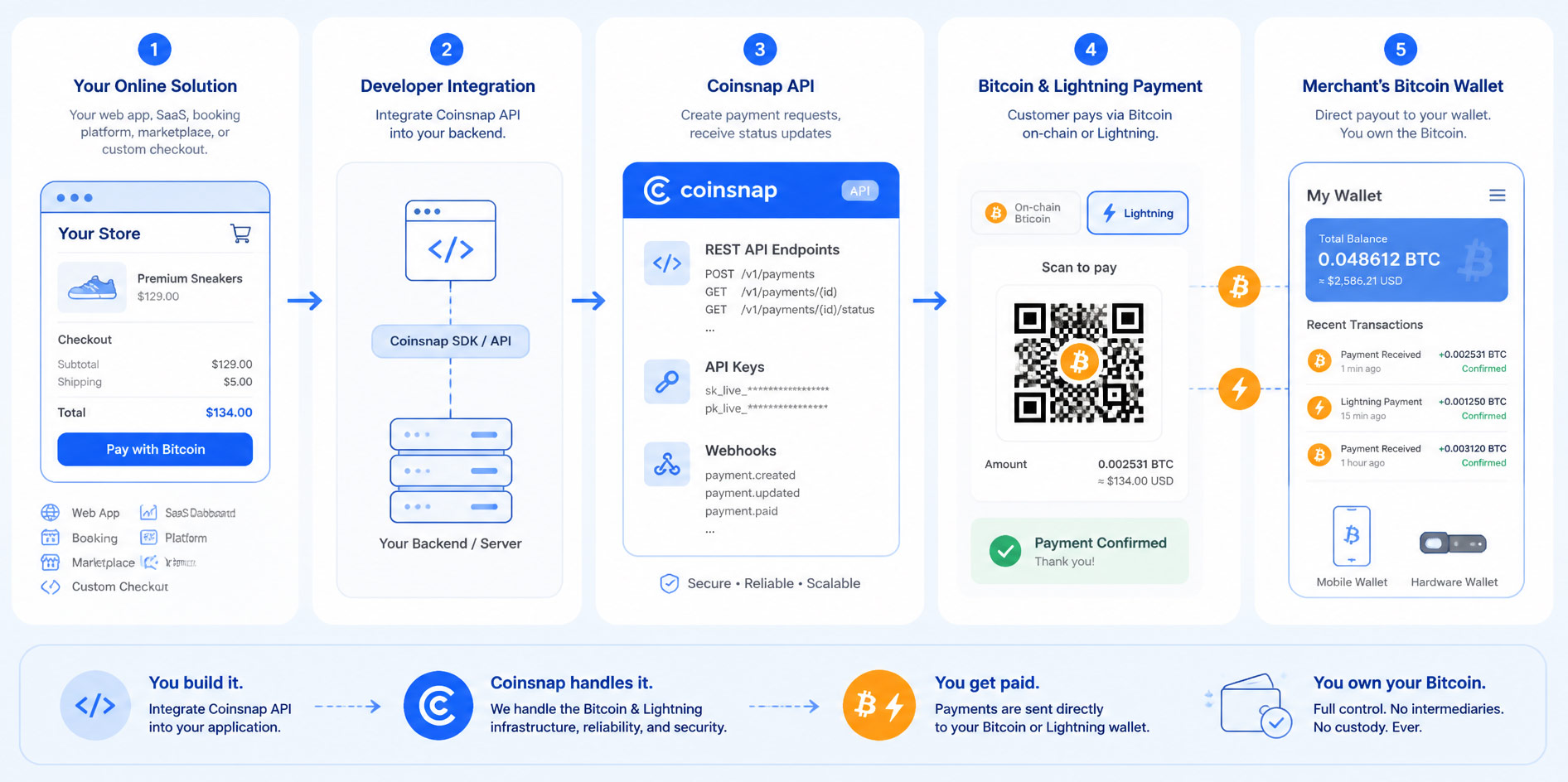
Anyone using a self-developed or customized eCommerce solution for which Coinsnap does not provide a payment module can use an API connection.

Coinsnap offers documentation of the API connection and a PHP library on GitHub.

What is a Lightning payment?

What is Bitcoin Lightning?

How does a Bitcoin payment differ from a Lightning payment? A Bitcoin payment via the blockchain is expensive, limited in number and can take a very long time. With the Lightning network, millions of Bitcoin payments per second can be made quickly and cost-effectively.


Bitcoin transactions take a long time. It takes a long time for payments to be confirmed on the blockchain and the number of transactions is limited.

Bitcoin payments via the blockchain are not ideal for quickly paying for a coffee or a download on the Internet.

A special further development of the Bitcoin payment system can remedy this shortcoming: the Bitcoin Lightning Network.

With a Bitcoin payment via the Lightning Network, an unlimited number of faster transactions can be carried out at lower fees.

A Lightning payment is an instant Bitcoin payment.

What is the Bitcoin Lightning Network?

Many critics complain that Bitcoin transactions take a very long time. In fact, the Bitcoin network only manages around seven transactions per second, with high transaction fees.

This is where the so-called Bitcoin Lightning Network comes in, which is intended to solve precisely this problem.

The Lightning Network increases the speed of Bitcoin transactions to one million transactions per second.

By comparison, Visa, the global market leader in digital payment transactions, says it receives around 65,000 transaction messages per second or an average of 150 million transactions per day.

Bitcoin transactions would therefore be processed 15 times faster via the Lightning Network than via the Visa network – and completely without middlemen such as payment service providers or banks.

How does the Bitcoin Lightning Network work?

The long transaction times for Bitcoin transactions are due to the so-called block confirmation time. The Bitcoin network creates a new block every ten minutes or so, which contains all the transactions carried out during this time. Although this increases security in the network, as each transaction is individually checked, verified and stored, it takes up a lot of time. This alone makes Bitcoin payments unsuitable for everyday use.

This is where the Bitcoin Lightning Network comes to the rescue: it enables transactions to be carried out almost in real time, and at minimal fees that average well below USD 0.01 per transaction. These are often a fraction of a cent. But how does it work?

Users who want to carry out Bitcoin transactions do not send them directly to the Bitcoin blockchain as usual, but to the Lightning network via a Lightning wallet.

As not all wallets are compatible with the Lightning network, users need a separate Lightning wallet.

The use of a Bitcoin hardware wallet is recommended for storing Bitcoins and keeping them for the long term. To pay and receive payments with Bitcoin, we recommend using a special Lightning Wallet.

An overview of the most common Lightning wallets can be found in the article: Lightning Wallet.

When using a Lightning Wallet, you connect to the Lightning network and a payment channel is opened for the sender and recipient. The transactions now take place in this channel and are not initially part of the Bitcoin blockchain.

No direct connection between the transmitter and receiver of the Lightning payment is necessary. Thanks to the decentralized Lightning network, everyone is connected to everyone else and a Lightning payment can be routed to the recipient via several stations.

The recipient of the Lightning payment can then decide whether to leave the Bitcoin balance in their Lightning wallet in order to make payments via Lightning again. However, they can also convert their Lightning credit back into Bitcoin credit and store it in their Bitcoin wallet for the long term.

Why Lightning payment?

You can save your money in a bank account or keep it safe in a vault. You always have some cash in your wallet for your daily payments. The same applies to Bitcoin. You can store and save Bitcoin long-term in a Bitcoin wallet and use Lightning for daily payments.

If you want to pay or receive payments with Bitcoin, it is best to use Lightning payments.

Coinsnap provides merchants who want to receive Bitcoin and Lightning payments with the corresponding options without having to take care of the technical details themselves. As a merchant, you only need your own Lightning Wallet to receive incoming Lightning payments.

As a merchant, you benefit from Lightning payments because they are credited immediately, are inexpensive, available worldwide, irrevocable and ideal for small-value and online payments. Given these advantages, Bitcoin transactions via the Lightning Network are the future of payment processing.

The advantages for merchants who accept Lightning payments can be summarized as follows:

  • Lightning payments are executed immediately.
  • Lightning payments are credited directly to the recipient.
  • Lightning payments are cost-effective.
  • Lightning payments are guaranteed. No chargeback risk for the merchant.
  • Lightning Payments can be used worldwide.
  • Lightning payments are ideal for micropayments.

How to accept Bitcoin and Lightning payments on Shopify?

How to accept Bitcoin and Lightning payments on Shopify?

Offer Bitcoin Lightning payment in your Shopify store

Online merchants who offer their products on the internet via Shopify can now easily offer their customers Bitcoin Lightning payment: Coinsnap provides a Shopify payment module that connects the Shopify online store to Coinsnap, thus enabling Bitcoin-Lightning payment processing.

Coinsnap for Shopify is connected to your Shopify store, it is seamlessly integrated with your Shopify checkout: Making a purchase with Bitcoin Lightning is as easy as any other payment method!


How does Bitcoin Lightning payment work with Coinsnap for Shopify?


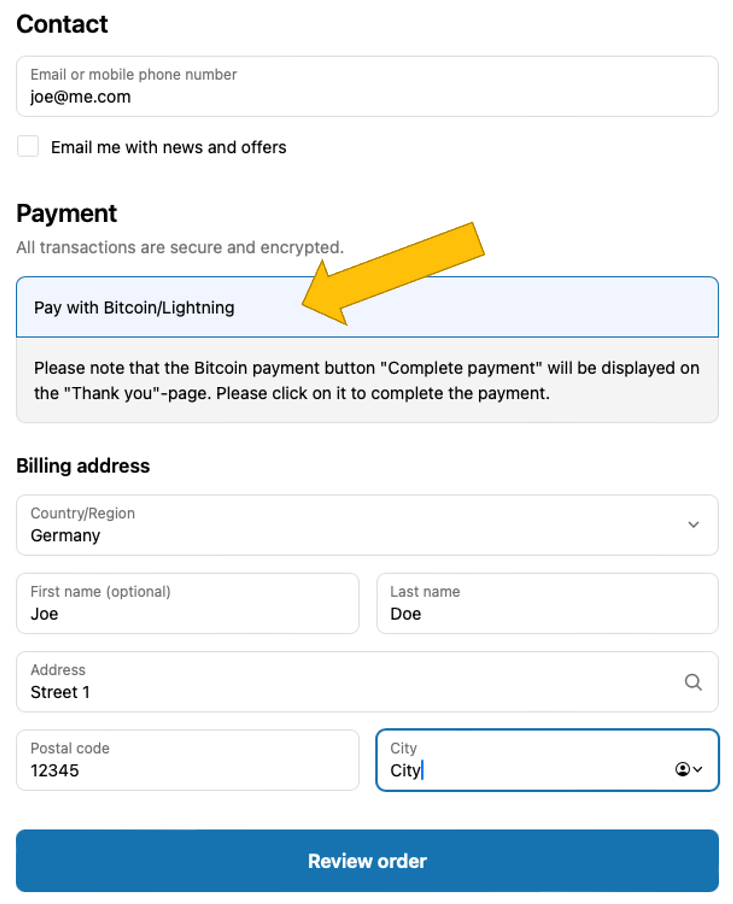
After your customer made his selection, and clicked on Checkout, he will see the checkout form. Here he adds is personal and shipping information, and selects Pay with Bitcoin/Lightning. Next, he must click on Review order (see image on the right).

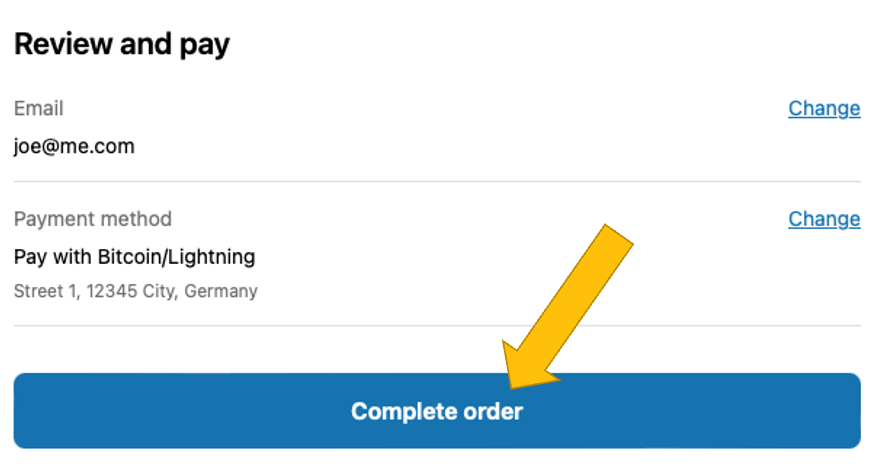
In the Review and pay screen, the customer has to click on Complete order, if everything is correct:

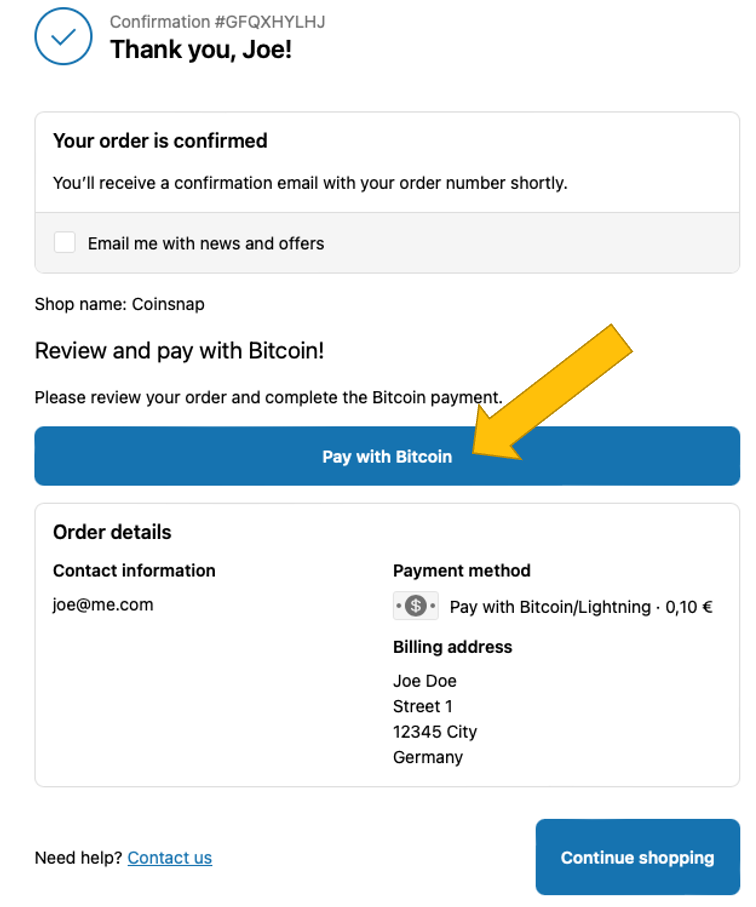
On the Confirmation page that now appears, your customer will start the actual Bitcoin Lightning payment by clicking on Pay with Bitcoin.

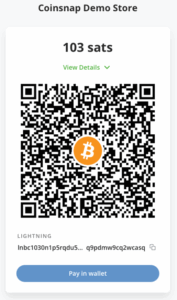
Now the actual Bitcoin payment window opens and the customer can pay with Bitcoin Lightning by scanning the QR code and authorizing the transaction in his Bitcoin Lightning wallet

After successful payment, the customer will receive a notification that the payment has been successfully completed.

During the ordering and payment process, the customer is informed by e-mail about the respective status of his order.

The customer will receive the first notification by e-mail after the order is successfully placed and another notification after the payment is successfully completed.

It is important to note that with Shopify, the order is placed first and only then is payment made. Both the customer and the store operator receive a message that the payment was successful. However, this does not mean that the payment has been successfully completed at the same time. Care must be taken to ensure that the customer has also paid successfully.

After successful payment, the status of the order is changed from Unpaid to Paid on the Shopify order page. The merchant can now start shipping the goods. At the same time, the deposited amount will be credited to the Lightning Wallet.

Shopify Manual Payment Methods

Shopify offers its own payment processing with Shopify Payments for various payment methods such as credit card, Google Pay and Apple Pay. These payment methods are prominently placed by Shopify to encourage their use.

In order to offer payers additional payment methods besides those offered by Shopify Payments, there are manual payment methods.

These manual payment methods are, for example, payments by cash on delivery or bank transfer.

A payment via Bitcoin and Lightning Payments is considered a manual payment by Shopify and Shopify does not charge any additional fees for this.


Shopify also does not offer the option to set a custom order of the payment methods offered, for example, to position Bitcoin and Lightning payments higher up. Changing the order can be done via paid apps.

On the listed payment methods page, Bitcoin and Lightning payments via Coinsnap are displayed as Bitcoin + Lightning. This setting can be changed. Just make sure to use the word Bitcoin.

Displaying a Bitcoin or Lightning icon is not supported by Shopify.

What do you need to offer Bitcoin Lightning payment in your Shopify store with Coinsnap?

It is actually very simple to add Bitcoin Lightning payment to your Shopify store. All you need is a Coinsnap account, a Bitcoin Lightning wallet, and to connect Coinsnap with your Shopify store.

Open an account with Coinsnap

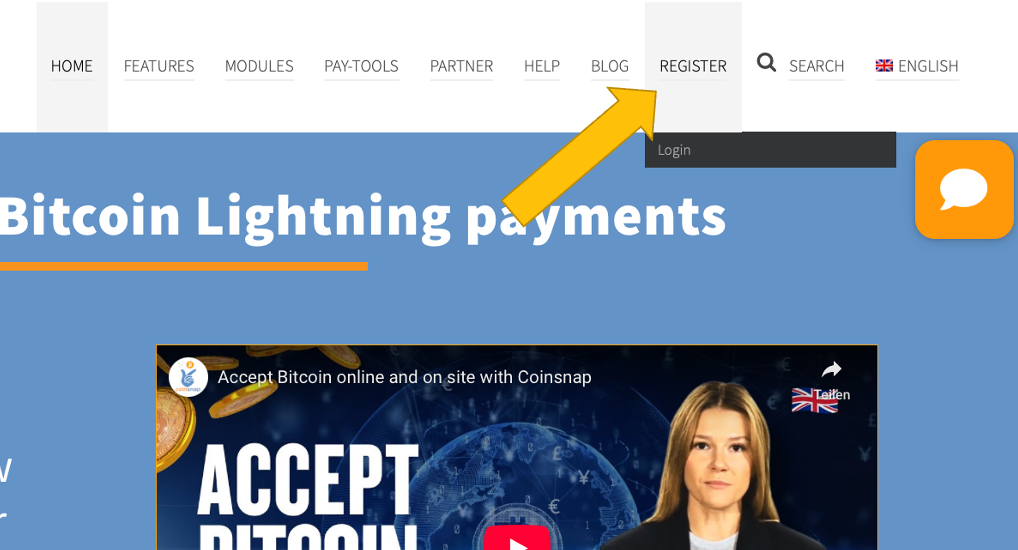
To open an account with Coinsnap, click here or on the menu item REGISTER in the top menu.

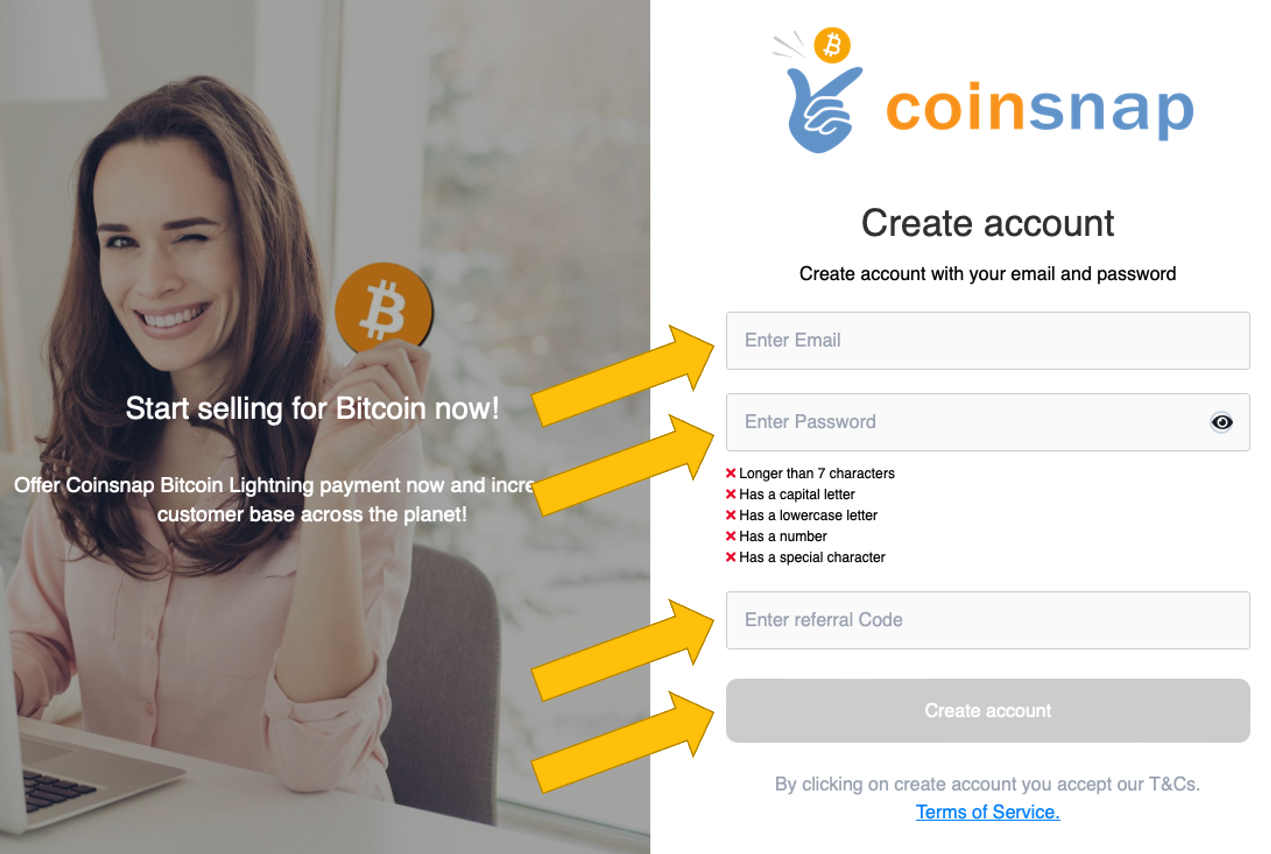
You will then be asked to provide your email address, choose a password and enter a Coinsnap discount code. (If you do not have one, you can always add it later.) Then click Create account.

You will then receive an email that you must confirm.

When you sign up for the first time, you will be asked for the name of your business. This name will later be displayed to your customers so they know which store they are paying at.

After that, you will be prompted to enter a Lightning address.

Then enter the Lightning address, which is similar to an e-mail address. Your customers’ Bitcoin and Lightning payments are forwarded to this Lightning address and credited to your Lightning wallet.

How you can quickly get a Bitcoin Lightning wallet and your Lightning address we’ll describe below.

Get a Lightning Address

A Lightning address looks like an email address, but instead of sending and receiving messages, you can use it to send and receive Bitcoin and Lightning payments. If you don’t have a Lightning address yet, choose a Lightning wallet that provides you with a Lightning address.

We have created an overview that lists all Lightning wallets where you can get a Lightning address.

As an example, we show you next how to set up a Wallet of Satoshi and how to find your Lightning address. (It’s a very similar process with other Lightning wallets.)

You have two options for obtaining the Wallet of Satoshi.

Either you go to the website https://www.walletofsatoshi.com/ and there you will find the two download options for the App Store or Google Play.

Or you can go directly to the store on your smartphone and search for the Wallet of Satoshi.


After you have started the Wallet of Satoshi on your smartphone, you will see a Receive button at the bottom left. Click on it.

The adjacent window opens. Below the QR code you will find the Lightning address, which looks like an e-mail address. This is your Lightning address, which you can give to anyone you want to receive sats from.

You deposit this Lightning address with Coinsnap and all incoming Bitcoin and Lightning payments are credited directly to your Bitcoin Lightning wallet via the Lightning address.

How to integrate Coinsnap Bitcoin payment in your Shopify store

To accept Bitcoin and Lightning payments in your Shopify store, the Shopify store must be connected to Coinsnap. There are two ways to do this: You can integrate Coinsnap into your Shopify store yourself or let us do the integration for you.

Do It Yourself

If you are comfortable with Shopify, you can certainly connect your Shopify store with Coinsnap by yourself. Just follow our step-by-step installation guide, and you should be done in about an hour.

Free Integration Service

If you don’t want to go to the trouble of connecting Coinsnap for Shopify with your Shopify store, we’ll be happy to do it for you – free of charge and reliably.

Tags:shopify