What is Lightning and how can it be used to send and receive payments? How does the Lightning network work? What is a Lightning wallet or a Lightning address?
5.9.2024 –Coinsnap now offers a new, innovative way for entrepreneurs to accept Bitcoin Lightning payments quickly and easily in the “real” world: With the introduction of the Web-PoS solution, small and medium-sized businesses such as retailers, restaurants, craftsmen and service providers etc. have a simple, secure and efficient way to integrate Bitcoin Lightning payment into their everyday business – without complicated technology or expensive hardware.
How does the Coinsnap Web PoS solution work?
The Coinsnap Web Point of Sale (Web PoS) solution allows vendors and their employees to accept Bitcoin Lightning payments directly from the web browser of their smartphone, tablet or computer. After logging in to their personal Web Point of Sale page, they simply enter the invoice amount via the convenient input field. The payment amount is then either credited to your Bitcoin Lightning wallet or, if desired, automatically converted into a fiat currency such as Euro, USD, GBP or CHF and transferred to the bank account on file.
One of the greatest strengths of this system is its flexibility: sellers do not need to install an app, but simply access their individual Web PoS page provided by Coinsnap via the browser. This URL can also be shared with employees who can accept payments without having access to the wallet or business accounts.
Why should sellers accept Bitcoin Lightning payments?
Simple integration and use: No complicated technical setup is required. The Web PoS solution runs on any internet-enabled device and is ready for immediate use after a simple setup in the Coinsnap backend (5 minutes max.!).
Guaranteed payment: Bitcoin Lightning payments are credited to the merchant’s wallet in real time, a chargeback of the payment is technically not possible.
Security for entrepreneurs: employees can accept payments without having access to the company’s finances. It will soon also be possible, for example, to credit employees’ tips or revenue shares directly to their personal Bitcoin Lightning wallets.
Fast transaction processing: Bitcoin Lightning payments are credited in real time, which prevents long waiting times or delays. Sellers can track the receipt of funds directly on their wallet or bank account.
Detailed transaction overview: Coinsnap offers a comprehensive overview of all transactions with the option of exporting data in CSV format – ideal for accounting purposes and documenting business transactions.
No app installation necessary: The entire process can be handled directly via the browser, saving time and resources.
Who is the Web-PoS solution ideal for?
The Coinsnap Web PoS solution is aimed at a wide range of entrepreneurs – from café owners to retailers and service providers. Especially for businesses that do not have or do not want an extensive technical infrastructure, this solution offers an easy entry into the world of cryptocurrency payments. Thanks to the ability to receive payments in fiat currencies, sellers do not necessarily need to be Bitcoin experts to benefit from the solution.
Conclusion
With the new Web PoS Bitcoin Lightning solution, Coinsnap offers a forward-looking, secure and flexible payment method for companies of all sizes. Anyone who wants to offer their customers a modern and fast payment option should consider the Coinsnap Web-PoS solution. Especially in times when cashless and digital payments are becoming more and more important, this could be the decisive step towards a future-proof business model.
For more information and how you can use the Coinsnap Web PoS solution for your company, please visit:
Sales in your webshop are credited to your Lightning Wallet in the form of Bitcoin Lightning. Lightning is essentially Bitcoin in a different form. This difference is comparable to the difference between physical cash, which is used for payments, and money in a bank account, which is intended for savings. If you want to store Lightning without using it for payments, it is advisable to store it in a secure Bitcoin hardware wallet. These Bitcoin hardware wallets, such as Bitbox, Trezor or Ledger, do not yet support Lightning, which is why the Lightning balance must be exchanged back into Bitcoin. This process is also known as a swap. This swap service is offered by Boltz Exchange, for example.
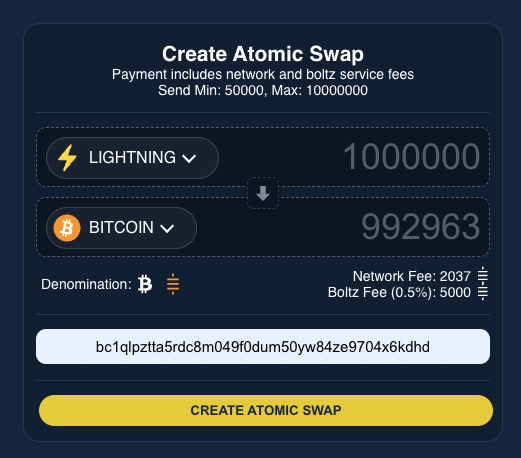
If we want to make a swap from Lightning to Bitcoin, we select Lightning in the top line and enter the amount in Sats that we want to swap. In our example, 1 million sats. The system automatically calculates how many Sats are credited to our Bitcoin wallet. Boltz charges a fee of 0.5% for this swap service and the network fees for the entry in the blockchain must also be paid. In the Enter BTC address field, we enter the Bitcoin address to which we would like to receive the credits. We receive this Bitcoin address from our hardware Bitcoin wallet, for example. Once we have filled in the relevant fields, we click on the button labeled: Create Atomic Swap.
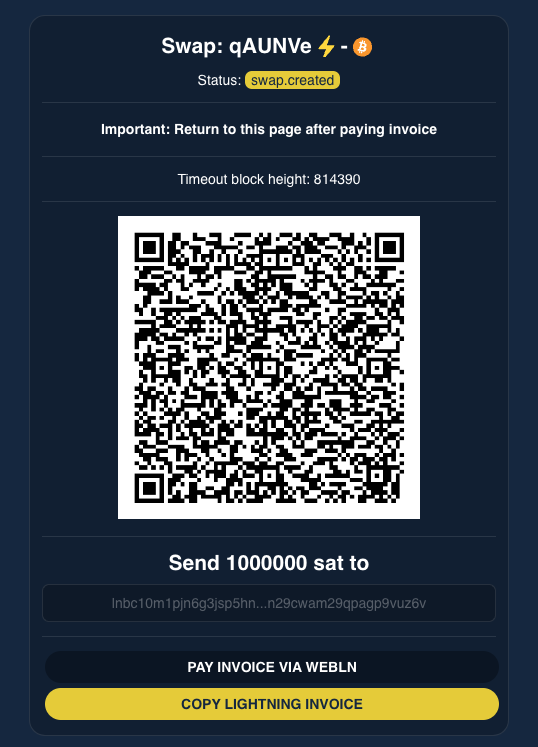
We receive a Lightning Invoice in the form of a QR code. The amount of the Lightning Invoice is 1 million sats and we can pay this invoice by scanning the QR code or via Webln. If we click on Pay Invoice via Webln, we can access our Alby Lightning Wallet via the browser extension and pay. We can also use Copy Lightning Invoice to copy the Lightning Invoice to our clipboard and then paste it into the Send field in our Lightning Wallet and make the payment.
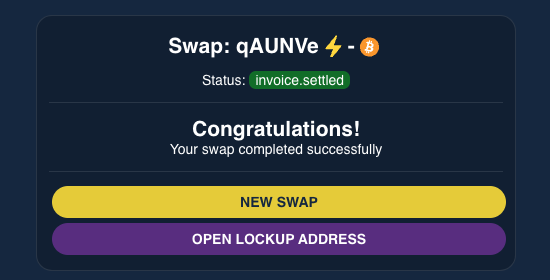
After we have paid the Lightning Invoice, this is displayed accordingly on the website.
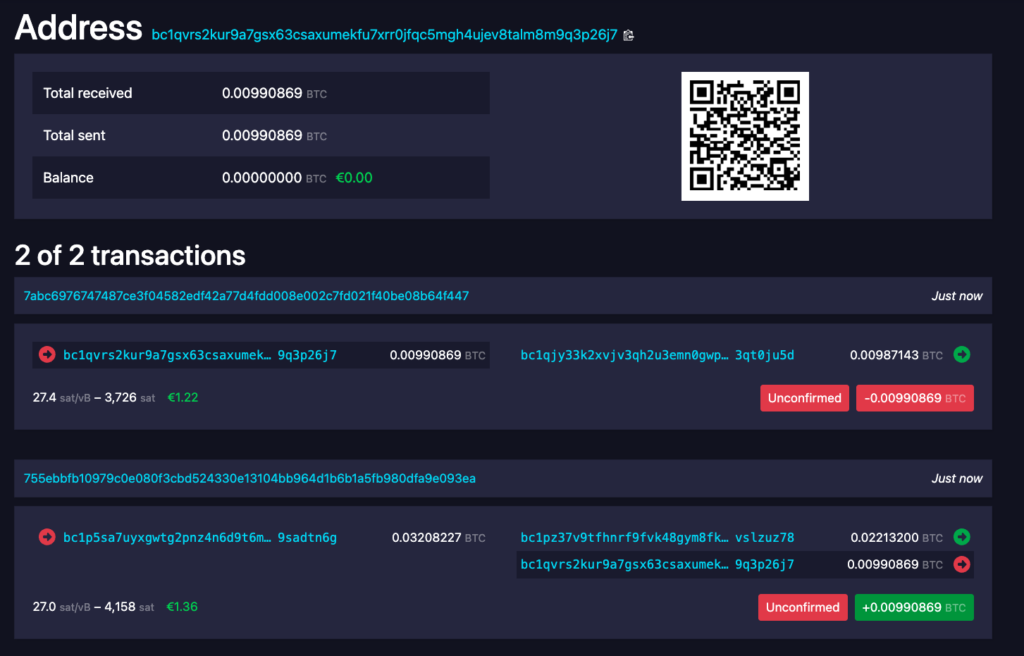
When we click on Open Lockup Address, we are redirected to the Mempool.Space page and receive the status of our transaction. The swap was successfully completed and the bitcoins are credited to our own Bitcoin wallet after six confirmations.
It’s so easy to convert your Lightning balance into Bitcoin and load it onto your own Bitcoin wallet. Coinsnap is in the process of integrating a direct connection to Boltz Exchange. This enables automatic conversion and immediate transfer to your Bitcoin address as soon as you have a Lightning balance.
Bitcoin payments via the Lightning network enable fast, cost-effective and secure payment processing and are therefore ideal for crediting customer sales directly to the merchant.
As a Lightning payment provider, Coinsnap focuses on payment processing via Lightning and accordingly offers the forwarding of customer sales in the form of Lightning as a standardized version.
The customer’s Bitcoin or Lightning payment is forwarded as Lightning to the merchant’s Lightning Wallet.
The standard method is Lightning forwarding to a Lightning wallet with a Lightning address.
The merchant is free to choose which Lightning wallet to forward to from the solutions available on the market.
The sats credited to the Lightning Wallet are immediately available to the trader. Bitcoin via the Lightning network is ideal for payment processing and it makes sense for merchants to use the Lightning balance to pay suppliers and employees via Lightning. Most Lightning wallets with a Lightning address are externally managed (custodial) Lightning wallets. This means that the wallet balance is held by the provider of the Lightning Wallet and not by you. Accordingly, you should only leave a small amount of your Bitcoin balance on the Lightning Wallet for a short time.
When choosing a Lightning Wallet, you can opt for a self-managed (self-custody) Lightning Wallet with a Lightning address. So far, the only provider of a self-managed Lightning Wallet with a Lightning address is Zeus, but it is to be expected that other self-managed Lightning Wallet providers will offer a Lightning address. If you want to store your Lightning balance for the long term, we recommend storing it on your own Bitcoin hardware wallet. The provider Bitbox has already announced a Lightning integration. When using a pure Bitcoin hardware wallet without Lightning integration, a switch from Lightning to Bitcoin must be made. The swap from Lightning to Bitcoin can be carried out with the provider Boltz.Exchange. We have described exactly how this exchange works in the article Payout in Bitcoin.
No payment system is simpler, easier to implement and more limitless for users than Coinsnap Bitcoin – Lightning Payment. See here 11 good reasons for Bitcoin – Lighting payment from the perspective of an online store operator:
Expansion of the customer base
By accepting Bitcoin, merchants can appeal to customers who prefer or exclusively use cryptocurrencies. This expands the potential customer base and can lead to additional sales.
Lower transaction costs
Bitcoin transactions with Coinsnap are very favorable compared to traditional payment methods, especially credit cards, as Coinsnap only charges one percent (1%) of the invoice amount for payment processing. This can be particularly advantageous for international transactions, as there are no currency exchange fees.
Faster transactions
Bitcoin – Lightning transactions are processed by Coinsnap almost in real time. This is advantageous for merchants and customers who prefer fast payment processing.
No chargebacks
Bitcoin transactions are irreversible. This protects merchants from chargebacks and fraud, which can occur more frequently with credit card payments.
Decentralized currency
Bitcoin – Lightning is a decentralized payment method that is not controlled by any government or institution. The Coinsnap payment method is available to merchants anywhere in the world, regardless of their business model. Whether in Andorra or Zambia – with Coinsnap, merchants sell their offers to anyone who wants to buy them with Bitcoin (without cumbersome preliminary checks by a payment provider or limits for the customer).
Internationalization
Bitcoin – Lightning allows merchants to easily sell internationally without having to worry about currency exchange or different payment methods in different countries.
Marketing benefits
Offering Bitcoin – Lightning payment can be perceived as innovative and modern and can therefore be used as a marketing tool to attract technology-savvy customers.
Protection against inflation
Bitcoin is often seen as a hedge against inflation. Traders who hold Bitcoin could also benefit from a long-term increase in the value of the cryptocurrency.
Data protection and security
Bitcoin – Lightning payments do not require customers’ personal information, which increases privacy and reduces the risk of identity theft. In particular, customers who are afraid of this feel more secure and more inclined to make a purchase.
Diversification of payment methods
By integrating Bitcoin – Lightning as a payment method, merchants diversify their payment options, which can increase resilience to outages or issues with traditional payment providers.
No hurdles for end users
In contrast to providers such as bitpay, coinbase, crypto.com etc., Coinsnap is “barrier-free”: Payers can pay with all Bitcoin and Lightning wallets, including those from bitpay, coinbase and crypto.com. Only the merchants need a Lightning Wallet for the credit.
Coinsnap: Bitcoin – Lightning payment for many applications
Coinsnap payment modules are available for the most important, most frequently used store systems and WordPress applications. And more are being added all the time.
It couldn’t be easier: earn Bitcoin with a Snap!
In just 3 steps to eCommerce with Bitcoin – Lightning:
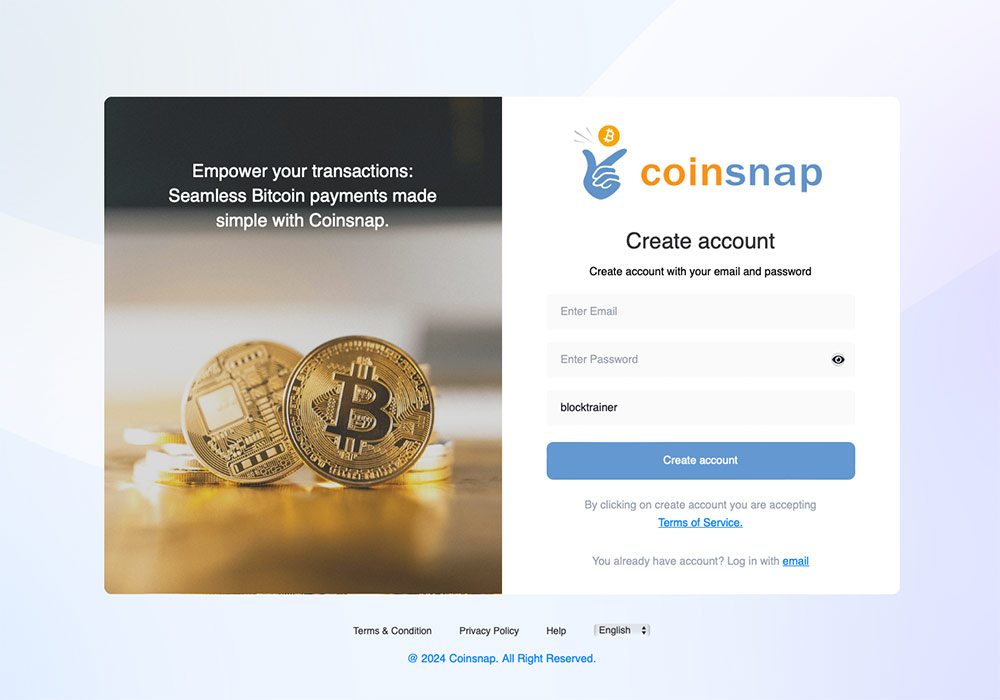
Set up a Coinsnap account
No bureaucracy: You only need an email address and your store URL!
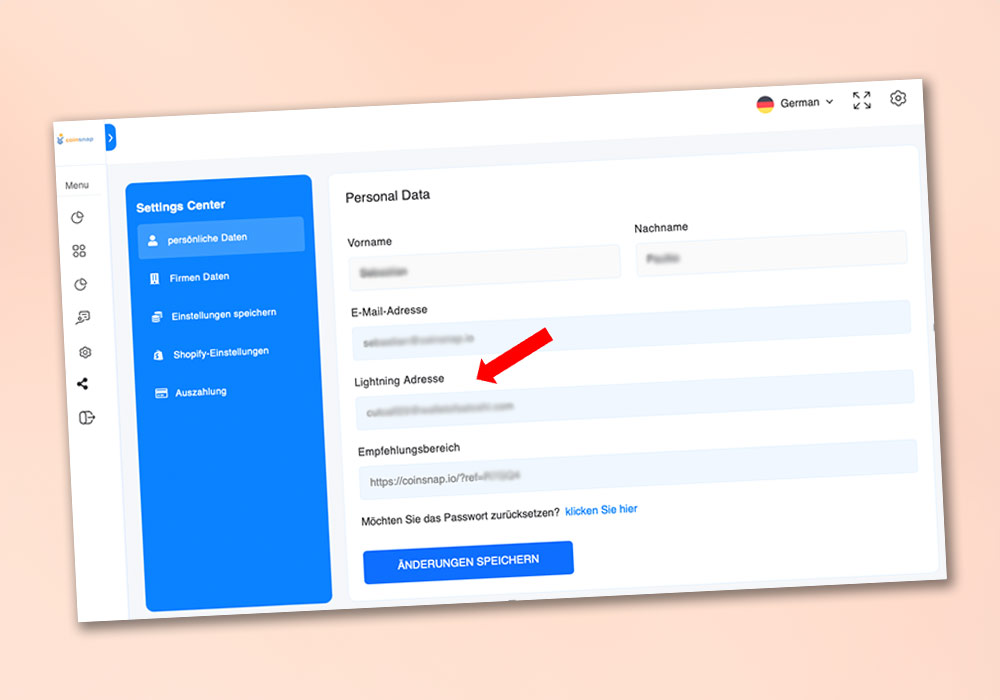
Connect Lightning Wallet
It really couldn’t be easier: enter the address of your Lightning Wallet and you’re done.
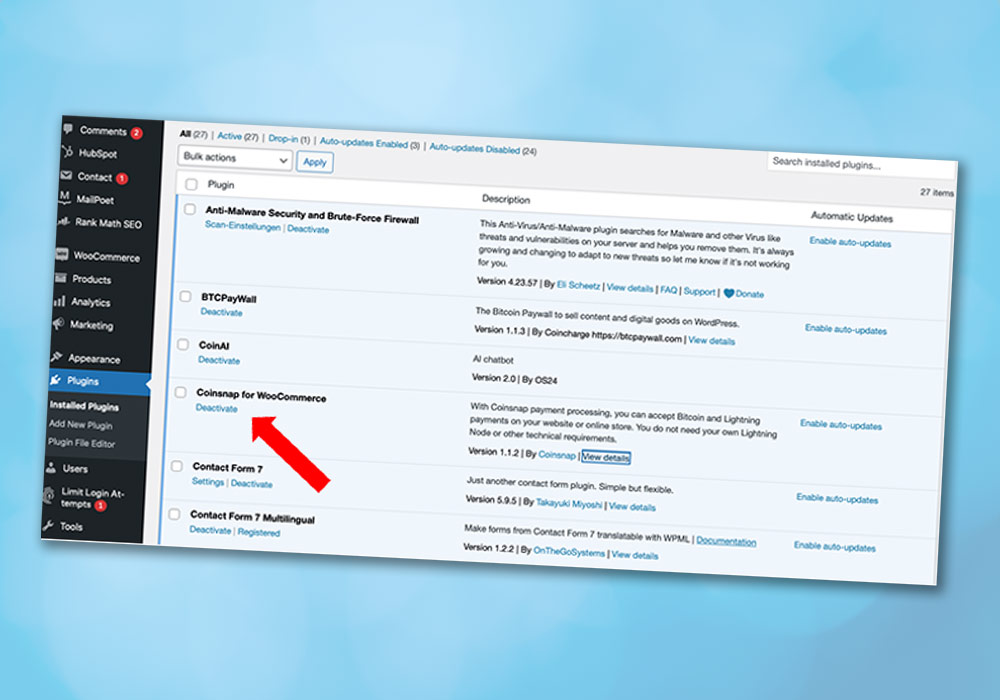
Install Coinsnap plugin
Simply upload the Coinsnap plugin, activate it and enter your data.
…and you already have Bitcoin – Lightning Payment in your online store!
If your customers pay with Bitcoin or Lightning in your webshop, these transactions will be credited to your own Lightning wallet.
To do this, you need a Lightning wallet with your own Lightning address.
This Lightning address is stored in the Coinsnap backend and all payments are credited to your Lightning wallet via this Lightning address.
A Lightning address looks like an email address, but instead of messages you can use it to send and receive Bitcoin via Lightning. Coinsnap is compatible with most Lightning wallets, but there are differences in usability and features. Therefore …
Coinsnap recommends the following Lightning Wallets:
Wallet of Satoshi
Ideal for “beginners”: simple setup, easy to operate, uncomplicated and secure.
Using the example of the Wallet of Satoshi, we will show you how to obtain a Lightning wallet with a Lightning address.
We have listed other wallet providers below where you can also obtain your own Lightning address.
Lightning Wallet from Wallet of Satoshi
Using Wallet of Satoshi as an example, we explain how to get your own Lightning address.
The other providers we have listed below work in a similar way.
You have two options for obtaining the Wallet of Satoshi:
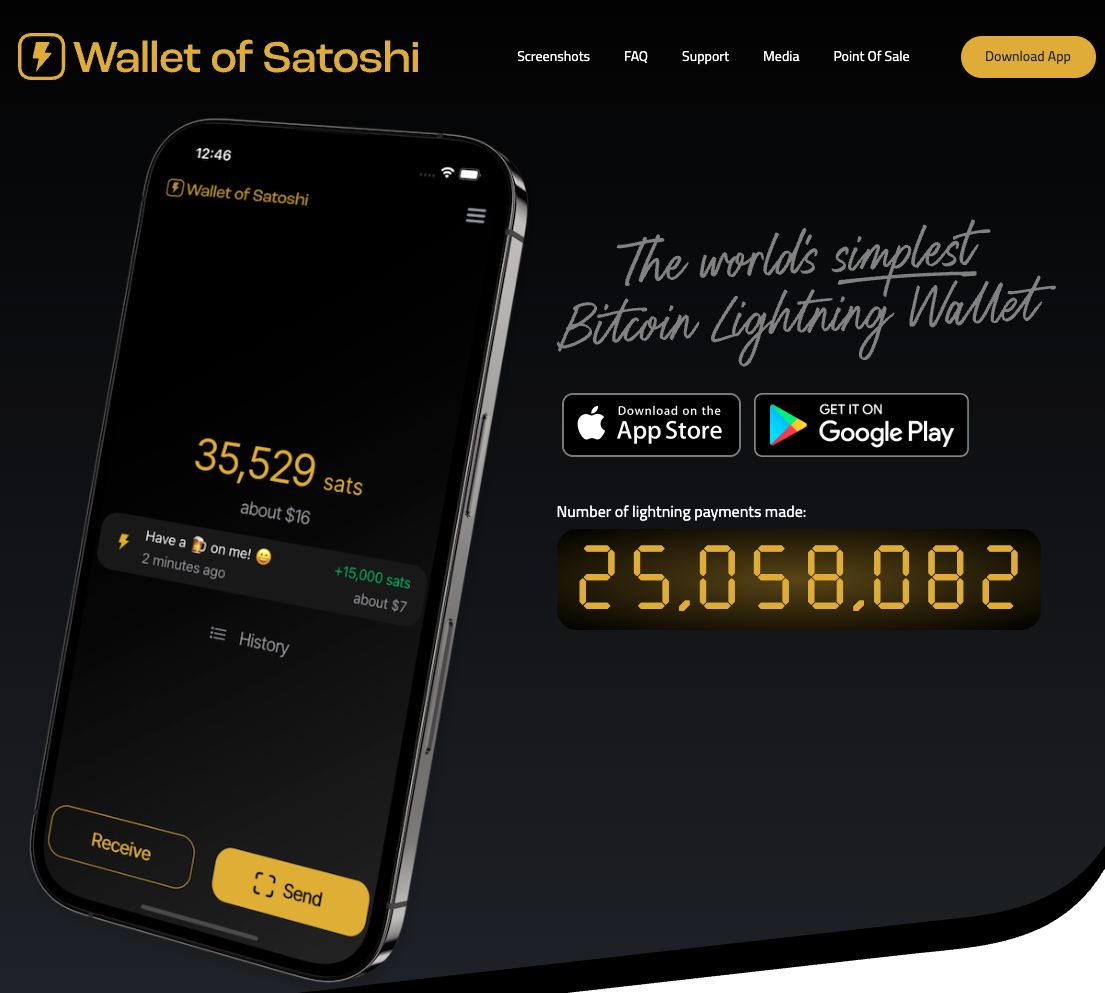
Either you go to the website https://www.walletofsatoshi.com/ and there you will find the two download options for the App Store or Google Play.
Or you go directly to the store on your smartphone and search for the Wallet of Satoshi there.
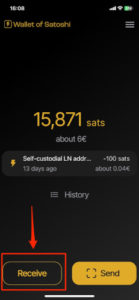
After you have started the Wallet of Satoshi on your smartphone, you will see a Receive button at the bottom left. Click on it.
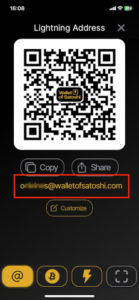
The adjacent window opens. Below the QR code you will find the Lightning address, which looks like an e-mail address. This is your Lightning address, which you can give to anyone you want to receive sats from.
You deposit this Lightning address with Coinsnap and all incoming Bitcoin and Lightning payments are credited directly to your Bitcoin Lightning wallet via the Lightning address.
The Blink Wallet is a custodial Bitcoin Lightning Wallet that contains two balance accounts – one for Bitcoin, the other for US dollars (Stablesats). “Custodial” means that your funds are held by Blink. (You should therefore regularly transfer your earnings to your Bitcoin hardware wallet).
With the two different balance accounts, you have the choice of whether you want to participate in the price changes of Bitcoin against the dollar (Bitcoin account) or exclude the volatility risk (dollar account), see below.
And – very importantly – with the Blink Wallet you also receive a Lightning address that you can name yourself (and thus “brand”, for example), see below. You can use this Lightning address for your Coinsnap account – so that all your incoming payments are credited there!
Another important feature of the Blink Wallet is that you can receive (and of course make) payments with Lightning or on-chain, depending on your needs and wishes. Lightning payments are ideal for amounts under around €1,000, as Lightning payments are lightning fast and particularly cheap. If you need to receive larger amounts, we recommend the on-chain payment method, which takes a little longer and is slightly more expensive, but can also process large amounts for which Lightning is not suitable.
Lightning Wallet from Misty Breez
One of the best wallets – and our recommendation for merchants – is the Misty Breez wallet.
Thanks to the integration of innovative blockchain technology and an extremely easy-to-use user interface, it is a very attractive solution for receiving and storing your Bitcoin earnings, especially for non-tech-savvy merchants who do not want to entrust their Bitcoin to a custodian (self-custody!).
It is easy to install without KYC details, self-managed (i.e. particularly secure) and easy to use – ideal for merchants to receive and store their business Bitcoin earnings.
If you prefer to have your Bitcoin transactions credited directly in euros and have no problems with a KYC check, we recommend that you get a Bringin Lightning address. This way, your transactions will be credited directly in euros and you will have no risk of exchange rate fluctuations with Bitcoin versus euros.
After you have set up a Bringin account, you must store the Bringin Lightning address with Coinsnap.
All your Bitcoin transactions will then be credited to your personal Bringin name account in euros at the real-time exchange rate. A credit to your bank account is possible for the bank account that is in the same name as your Bringin account and that you deposited when you registered with Bringin. No further KYC checks are required for sales of €10,000 per month and less than €100,000 per year. Each transfer from your Bringin account to your own account costs just €1.
If a KYC check is too time-consuming, but you still want to have your Bitcoin turnover paid out to your bank account in euros, we recommend using your wallet in combination with the Swiss Bitcoin broker DFX.
Enter the Lightning address of the wallet on Satoshi when registering with Coinsnap. In the withdrawal options, select the DFX option instead of the Lightning address. Swiss Bitcoin brokers carry out a so-called KYC-Light check.
A credit to the bank account is possible for bank accounts in the same name as the merchant. No further KYC checks are required for sales of less than €1,000 per day and less than €100,000 per year.
With the following Lightning Wallet providers, you will receive a Lightning Wallet with a Lightning address to be able to send and receive Lightning payments.
You store this Lightning address after registering with Coinsnap. Using the Lightning address, you connect your Bitcoin Lightning wallet to Coinsnap and Bitcoin payments can be credited directly to your Bitcoin Lightning wallet.
The Strike Wallet is a Bitcoin Lightning Wallet with a bank account and a Bitcoin wallet. The Strike Wallet is suitable for store operators who want to pay out sales from their online store to their own bank account or forward them to a Bitcoin on-chain wallet. Strike Wallet is available as a smartphone app for private individuals and Strike Business as a web version for companies. On this page we describe for private individuals how to initiate a Strike wallet payout to your own bank account or Bitcoin Wallet. If you are a company and would like to open an account with Strike, we recommend this article: Strike Business Bitcoin Lightning Wallet for businesses
In addition to the US and Europe, Strike is available in more than 95 other countries, including Brazil, Argentina, Mexico, El Salvador and Serbia.
Any online merchant in whose country Strike is available can accept payments from their customers via Coinsnap Bitcoin Lightning and receive the credit either in Bitcoin or in their local currency to their bank account.
We explain how this works in this article.
Use Strike with Coinsnap
Anyone who accepts Bitcoin Lightning payments with Coinsnap can have their transactions credited to the Strike Wallet and decide whether the credit should be made in Bitcoin on the Bitcoin Wallet or in their local fiat currency on the Cash Wallet.
The Strike Wallet has two wallets, one for the balance in Bitcoin and one for the balance in your own fiat currency such as euros or dollars. Strike also provides you with a Lightning address that is suitable for receiving Bitcoin Lightning payments from Coinsnap. You connect your Strike Wallet to Coinsnap and all your Bitcoin sales are credited directly to your Strike Wallet. In your Strike Wallet, you can choose whether the credit should be made to the Strike Bitcoin Wallet or to the Strike Cash Wallet.
In this article, we explain how to get the Strike Wallet, how to set up a Lightning address with Strike and how to deposit this Lightning address with Coinsnap so that your Bitcoin sales are credited directly to your Strike Wallet. We will then show you how to set up the Strike Wallet so that incoming Satoshi is credited to the Bitcoin Wallet or the Fiat Cash Wallet.
Install and use Strike Wallet
The Strike Wallet is an application for your smartphone. To install the Strike app on your smartphone, you can either search for the Strike app in the Apple App Store or the Google Play Store and install it, or you can visit the strike.me website and follow the link for your smartphone.
Once you have installed the Strike app on your smartphone, you have to enter your personal details and also provide a photo of an ID document.
Once your personal details have been verified, Strike is available.
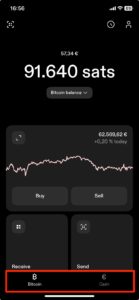
At the bottom of the home screen, we find the selection for the two Strike Wallets already mentioned.
One is the Bitcoin Wallet with our Bitcoin balance and the other is the Cash Wallet with our local fiat balance. The fiat balance is held in my local currency and is, for example, in USD for users from the USA and in euros or in the currency in which you live for users from Europe.
Strike Lightning Address
To use Coinsnap, we need our Lightning address, which is provided to us by Strike.
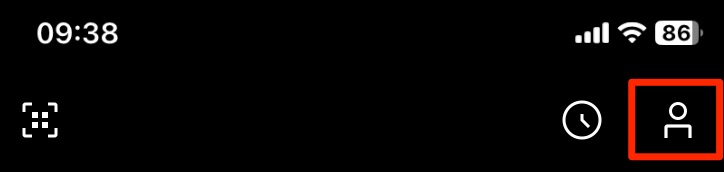
To do this, click on the symbol that looks like a little man in the top right-hand corner. You will then be taken to your profile page.
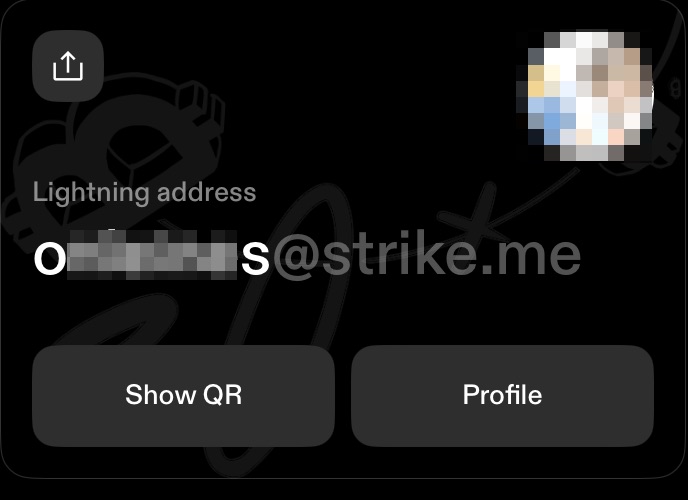
Here you have the option of choosing your desired name. This name and the suffix @strike.me will then be your Lightning address. This looks like an e-mail address, but instead of receiving e-mails, you can use the Lightning address to receive Lightning payments.
We now store this Lightning address with Coinsnap and log into our Coinsnap account.
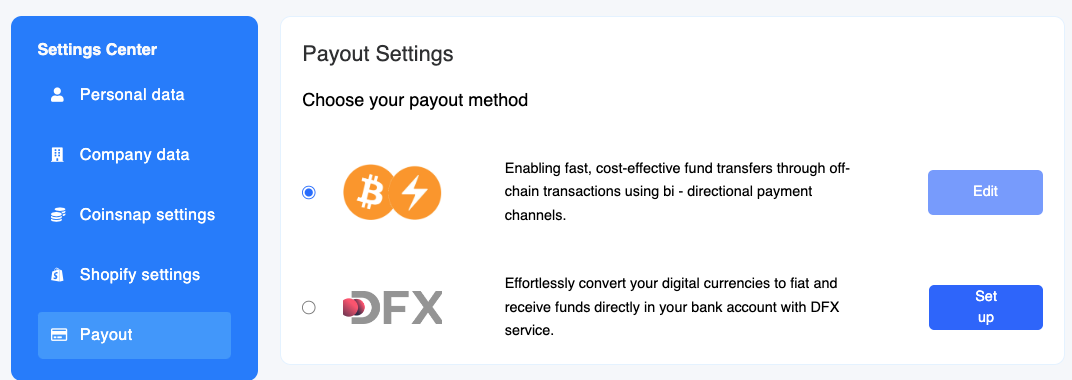
There we go to the Settings section and then to Payout.
In the Lightning Payout section, we store the Lightning address from our Strike Wallet in the Lightning address field.
Now our Bitcoin sales that come in for us via Coinsnap are credited directly to our Strike Wallet. But should the credit be made to the Bitcoin Wallet or the Cash Wallet?
Credit in Bitcoin or fiat?
You can specify in the Strike Wallet how the credit is to be issued. Either in Bitcoin in the Bitcoin Wallet or in your fiat currency in the Cash Wallet.
To do this, we scroll all the way down to the Settings section in the Profile area, where our Lightning address is also displayed.
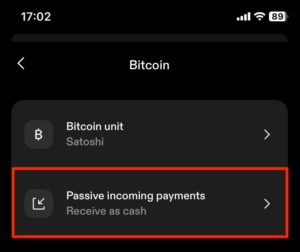
There we find the Bitcoin sub-item and select it, where we find the Passive Incoming Payments selection.
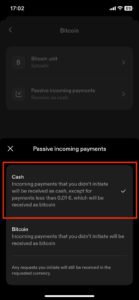
Here we can select how payments that you have not initiated yourself are credited.
Payments to your Lightning address can be sent to you by anyone and are therefore not specifically initiated by you.
Accordingly, you can select whether these are credited to your Cash or Bitcoin Wallet.
If you opt for the Bitcoin variant, you can use the Bitcoin balance to pay with Bitcoin yourself or transfer the Bitcoins to a secure Bitcoin wallet, such as a hardware wallet.
If you want to protect yourself from the price fluctuations of Bitcoin and prefer to receive your transactions in your own currency in your own bank account, you can transfer the balance from the cash wallet to your own bank account.
Credit to your own bank account
Before you can withdraw the balance in your Cash Wallet to your bank account, you must deposit your bank account with Strike.
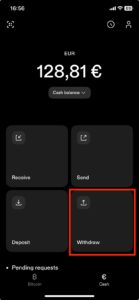
To do this, switch to the Cash Wallet and find the Withdraw menu item there.
Click on “Add bank account”.
Then enter the account number or your IBAN
Click on “Continue”.
Then check the details again and click on “Confirm”.
Please note that withdrawals are only possible to bank accounts with the same name as the Strike account.
If you sell Bitcoin via Strike, you will incur a trading fee, the so-called Strike fee, which is calculated as a percentage of the trading volume. The strike fee is divided into different levels or “tiers” depending on your monthly trading volume. The more you buy or sell, the lower the fee. Monthly trading volume Fee
> €50,000 0.79% If you turn over less than €1,000 per month with Bitcoin in your online store and want to have the equivalent value paid out to your bank account via Strike, you will pay a fee of 1.29%, for example.
Credit to Bitcoin (onchain) wallet
If you prefer to keep the Bitcoin you earn, you should not store your Bitcoin balance on the Strike Wallet, but transfer it to a secure Bitcoin hardware wallet from time to time. If you transfer your Bitcoin balance from the Strike wallet to another Bitcoin wallet, Strike does not charge any fees. If you transfer your Bitcoin balance to an on-chain Bitcoin wallet, you only have to pay the mining fee. Most other Lightning wallets charge an exchange fee for switching from Lightning to Onchain, in addition to the mining fee. Strike does not charge any exchange fees and is therefore an interesting solution for traders who want to keep their own Bitcoin and transfer it to a secure Bitcoin hardware wallet (e.g. Bitbox, Ledger or Trezor).
Strike Business
If you want to use Strike Wallet for your business, we recommend Strike Business.
The Strike Wallet is an ideal addition to the use of Coinsnap. With the Strike Wallet, a Coinsnap merchant has the option of either having the transactions credited to their Bitcoin wallet or to their own bank account. Wherever Strike is available, merchants can accept Bitcoin Lightning payments in their online store and receive the payout to their own bank account via Strike. All you have to do is install the Strike app on your smartphone, verify yourself and enter your bank account. You then open an account with Coinsnap and deposit the Lightning address provided by Strike. Once you have installed the Coinsnap payment plugin in your online store, your customers can pay you with Bitcoin Lightning and the equivalent value is credited to the Strike Cash Wallet in your local currency and can be paid out to your own bank account.
You use the service of Coinsnap and your customers can pay with Bitcoin and Lightning? Then you get the sales of your customers in the form of Lightning credited to your own Lightning Wallet.
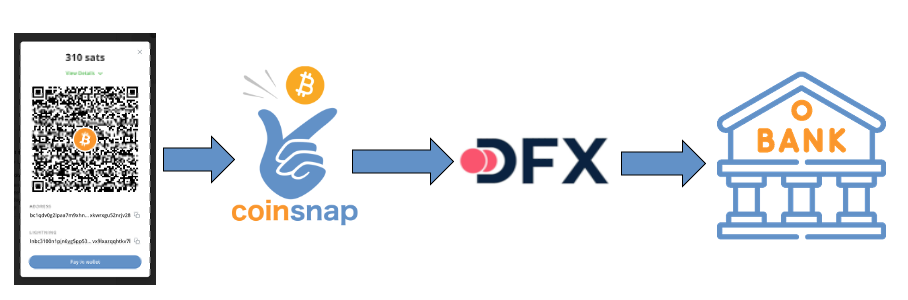
If you prefer to have your Bitcoin turnover paid out directly to your bank account, you can do this via the Swiss Bitcoin broker DFX.
Coinsnap works together with DFX and can thus exchange Bitcoin balances into Euro or CHF, which enables a payout to any bank account within the SEPA area.
The SEPA area comprises the 27 EU member states, the EEA states, Switzerland and the UK.
Deposit of your own bank account
Once you have registered with Coinsnap and entered your Lightning address, you can choose to pay out by bank transfer via the Payout menu item.
If you then select the provider DFX, you will be asked to enter your bank details. This includes the exact name of the account holder and the IBAN number.
You must also specify the currency in which the payout is to be made. You can choose between Euro and CHF.
If you have not yet entered your personal and company details, you can do so here.
Payout to your own bank account
If a customer pays with Bitcoin or Lightning in your online store, the purchase amount is forwarded to DFX.
DFX converts the sats into euros or CHF at the current exchange rate and transfers the equivalent value to your bank account at midnight, where it is usually credited the next day.
Each payment is changed and paid out individually. This means that you have a separate entry on your bank statement for each of your customers’ purchases.
The minimum amount is € 10. If the amount is smaller, it is paid out to the Lightning Wallet.
The payout can be made in either euros or CHF. Your own bank account will be credited in the corresponding currency of this account. A merchant with a bank account in the UK can make the payout in euros, the credit is then made in pounds to his English bank account.
Bank account payout DFX
Prerequisite
To be able to make a payout to their own bank account, the merchant must provide the company details. In addition, the name of the account holder and the IBAN of the corresponding account.
No further information is required as long as the turnover is less than CHF 1,000 / € 950 per day or CHF 100,000 / € 95,000 per year. If the turnover exceeds this limit, an additional identification check is required under Swiss law.
Fees
The fee for exchanging Lightning into Euros or Swiss Francs is 1.49% on the turnover.
If the turnover of CHF 1,000 / € 950 per day or CHF 100,000 / € 95,000 per year is exceeded and an additional identification check is therefore required, the fee is 1.99 % of the turnover.
Do you already accept Bitcoin payments but your Bitcoin payment provider does not support the Lightning payment option?
For example, if you use a crypto payment provider such as Coinbase or crypto.com or share someone’s BTCPay server, the Lightning payment option is not available.
However, if you offer your customers crypto payments, there is no way around Bitcoin payments via the Lightning network.
Especially in times of high Bitcoin transaction fees, Lightning is the cheap and efficient option for lightning-fast Bitcoin payments.
Here, Coinsnap offers a supplement to the crypto payment providers already in use:
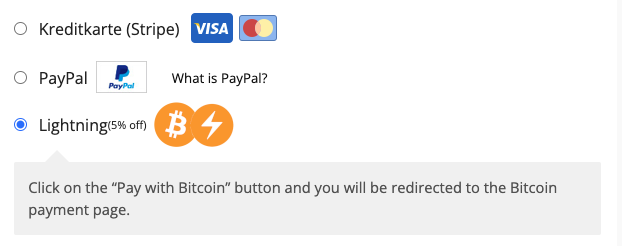
Integrate Coinsnap into your online store alongside your existing Bitcoin payment method. In the list of payment methods available to the customer, you designate the Coinsnap function as a Lightning payment and add the Lightning logo.
If the customer wants to pay with Bitcoin, they use the Bitcoin-only payment provider. If the customer wants to pay with Lightning, they can choose Lightning payments via Coinsnap.
If your customer accidentally selects Lightning and still pays with a Bitcoin wallet, you will not lose any revenue. This Bitcoin on-chain payment is also processed and forwarded to your Lightning Wallet.
You don’t lose any sales. Quite the opposite. You offer customers who want to pay with Lightning a way to pay with you. Open an account with Coinsnap and enter your Lightning address. You then integrate the appropriate Coinsnap payment module into your store system. The exact procedure is described under “Getting started“.
On the selection page of the supported payment methods in your store, change the description text for your customers from Bitcoin+Lightning to Lightning.
Your customers will be informed that they can pay with Lightning in addition to Bitcoin and other cryptocurrencies.
The sales of your customers who pay with Lightning in your online store will be credited directly to your own Lightning Wallet.
How to Set Up Wallet of Satoshi and Receive Bitcoin Instantly
The Bitcoin and Lightning sales in your online store are credited directly to your own Bitcoin wallet. You will need a Bitcoin Lightning wallet with a Lightning address.
Wallet of Satoshi is such a Lightning wallet with a Lightning address and we will explain how to get it here.
You have two options for obtaining the Wallet of Satoshi.
Either you go to the website https://www.walletofsatoshi.com/ and there you will find the two download options for the App Store or Google Play.
Or you can go directly to the store on your smartphone and search for the Wallet of Satoshi.
After you have started the Wallet of Satoshi on your smartphone, you will see a Receive button at the bottom left. Click on it.
The adjacent window opens. Below the QR code you will find the Lightning address, which looks like an e-mail address. This is your Lightning address, which you can give to anyone you want to receive sats from.
You store this Lightning address with Coinsnap.
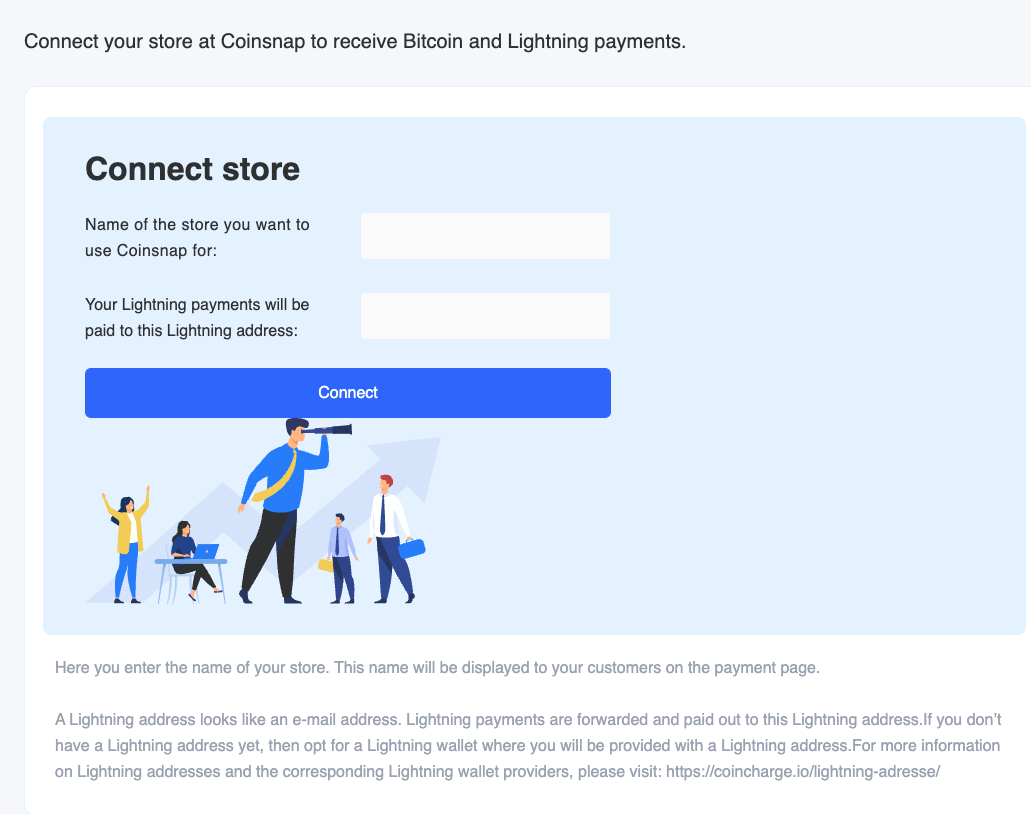
You can do this when you log in to Coinsnap for the first time. You will be asked for your company name and your Lightning address. In the second line, enter the Lightning address that you received from Wallet of Satoshi.
Your customers’ Bitcoin and Lightning payments are then forwarded to this Lightning address and credited to your Lightning wallet, in this case Wallet of Satoshi.
Payment plugins: fast integration into the store system
To facilitate the technical integration, we provide payment plugins for online stores and internet services. Payment plugins are ready-made payment modules that establish a connection between the internet store or website and Coinsnap.
You can download these plugins, install them yourself in a few steps without any technical knowledge and thus integrate Bitcoin and Lightning payment processing into your website.
We provide payment plugins for the most common store systems. These payment plugins are regularly updated by Coinsnap and its partners and are provided free of charge. The development of new plugins for other systems is a continuous process for Coinsnap.
Can’t find the right plugin for you? Do you use your own or a self-developed system? We are happy to implement individual connections if required.
Coinsnap easy digital downloads Bitcoin payment plugin
Paid Memberships Pro Plugin
Coinsnap Paid Memberships Pro Bitcoin payment plugin
Getpaid Plugin
Coinsnap Getpaid Bitcoin payment plugin
Wix Plugin
Coinsnap Wix Bitcoin payment plugin
GiveWP Plugin
Coinsnap for GiveWP
Payment plugins available soon
The following payment plugins are currently in the planning stage and programming is planned for the near future. Tell us which store system you use and influence the priority and order of implementation.
Drupal Plugin
Coinsnap Drupal Bitcoin Payment-plugin
DigiMember Modul
Coinsnap digimember Bitcoin payment plugin
Memberpress Plugin
Coinsnap memberpress Bitcoin payment plugin
Edoobox Plugin
Coinsnap edoobox Bitcoin payment plugin
Pretix Plugin
Coinsnap Pretix Bitcoin payment plugin
JTL-Store Plugin
Coinsnap JTL Bitcoin Payment-plugin
Which payment plugins are desired?
Coinsnap develops plugins for the most popular store systems and internet applications. If your store system is not yet offered, please let us know. We are checking if and with what priority we can develop the plugin ourselves.
As a software developer, you can develop and offer payment modules yourself. Your payment module will be featured on the Coinsnap website and you will receive a revenue share on payments processed through your payment module.
Have a payment module created
If no payment module is yet available for the store system used, the following options are available:
Closed store system
The system used is a closed system. This means that the provider does not provide an open API interface that we could use to develop such a payment module.
Such closed store systems are often store systems that are offered by web hosts or whose systems are hosted by the provider itself.
Perhaps you can ask your provider whether there is an interface or whether the provider would like to develop a connection to Coinsnap on their own initiative. We will actively support your provider if he wants to realize such a connection.
With an open store system, there are several ways to establish a connection between the e-commerce solution you are using and Coinsnap:
(1) Shop system provider develops its own payment module for a connection to Coinsnap
Your provider can develop a Coinsnap payment module themselves and make it available to their customers. We will actively support your provider if he wants to realize such a connection.
(2) External programmer develops payment module for you
The system used is open and the provider provides an open API interface, which can also be used by external programmers to develop such a payment module.
You can therefore commission a developer to develop such a payment module for you and make it available to you and other interested parties.
(3) Coinsnap develops a payment module for you
Alternatively, Coinsnap can program a payment module for your provider. Such a development is associated with effort and corresponding costs.
This expense would have to be invoiced by us accordingly. If it is a payment module that is frequently requested, we are prepared to subsidize part of the development costs and then make the module available free of charge.
Finally, there is also the option of switching to a store system for which we already offer a corresponding payment module.
We are constantly developing further payment modules, which we will make available free of charge. Please ask other users whether there is further interest in such a payment module so that we can prioritize the development accordingly.
API connection
Anyone using a self-developed or customized eCommerce solution for which Coinsnap does not provide a payment module can use an API connection.
How does a Bitcoin payment differ from a Lightning payment? A Bitcoin payment via the blockchain is expensive, limited in number and can take a very long time. With the Lightning network, millions of Bitcoin payments per second can be made quickly and cost-effectively.
Bitcoin transactions take a long time. It takes a long time for payments to be confirmed on the blockchain and the number of transactions is limited.
Bitcoin payments via the blockchain are not ideal for quickly paying for a coffee or a download on the Internet.
A special further development of the Bitcoin payment system can remedy this shortcoming: the Bitcoin Lightning Network.
With a Bitcoin payment via the Lightning Network, an unlimited number of faster transactions can be carried out at lower fees.
A Lightning payment is an instant Bitcoin payment.
What is the Bitcoin Lightning Network?
Many critics complain that Bitcoin transactions take a very long time. In fact, the Bitcoin network only manages around seven transactions per second, with high transaction fees.
This is where the so-called Bitcoin Lightning Network comes in, which is intended to solve precisely this problem.
The Lightning Network increases the speed of Bitcoin transactions to one million transactions per second.
By comparison, Visa, the global market leader in digital payment transactions, says it receives around 65,000 transaction messages per second or an average of 150 million transactions per day.
Bitcoin transactions would therefore be processed 15 times faster via the Lightning Network than via the Visa network – and completely without middlemen such as payment service providers or banks.
How does the Bitcoin Lightning Network work?
The long transaction times for Bitcoin transactions are due to the so-called block confirmation time. The Bitcoin network creates a new block every ten minutes or so, which contains all the transactions carried out during this time. Although this increases security in the network, as each transaction is individually checked, verified and stored, it takes up a lot of time. This alone makes Bitcoin payments unsuitable for everyday use.
This is where the Bitcoin Lightning Network comes to the rescue: it enables transactions to be carried out almost in real time, and at minimal fees that average well below USD 0.01 per transaction. These are often a fraction of a cent. But how does it work?
Users who want to carry out Bitcoin transactions do not send them directly to the Bitcoin blockchain as usual, but to the Lightning network via a Lightning wallet.
As not all wallets are compatible with the Lightning network, users need a separate Lightning wallet.
The use of a Bitcoin hardware wallet is recommended for storing Bitcoins and keeping them for the long term. To pay and receive payments with Bitcoin, we recommend using a special Lightning Wallet.
An overview of the most common Lightning wallets can be found in the article: Lightning Wallet.
When using a Lightning Wallet, you connect to the Lightning network and a payment channel is opened for the sender and recipient. The transactions now take place in this channel and are not initially part of the Bitcoin blockchain.
No direct connection between the transmitter and receiver of the Lightning payment is necessary. Thanks to the decentralized Lightning network, everyone is connected to everyone else and a Lightning payment can be routed to the recipient via several stations.
The recipient of the Lightning payment can then decide whether to leave the Bitcoin balance in their Lightning wallet in order to make payments via Lightning again. However, they can also convert their Lightning credit back into Bitcoin credit and store it in their Bitcoin wallet for the long term.
Why Lightning payment?
You can save your money in a bank account or keep it safe in a vault. You always have some cash in your wallet for your daily payments. The same applies to Bitcoin. You can store and save Bitcoin long-term in a Bitcoin wallet and use Lightning for daily payments.
If you want to pay or receive payments with Bitcoin, it is best to use Lightning payments.
Coinsnap provides merchants who want to receive Bitcoin and Lightning payments with the corresponding options without having to take care of the technical details themselves. As a merchant, you only need your own Lightning Wallet to receive incoming Lightning payments.
As a merchant, you benefit from Lightning payments because they are credited immediately, are inexpensive, available worldwide, irrevocable and ideal for small-value and online payments. Given these advantages, Bitcoin transactions via the Lightning Network are the future of payment processing.
The advantages for merchants who accept Lightning payments can be summarized as follows:
Lightning payments are executed immediately.
Lightning payments are credited directly to the recipient.
Lightning payments are cost-effective.
Lightning payments are guaranteed. No chargeback risk for the merchant.
How to accept Bitcoin and Lightning payments on Shopify?
Offer Bitcoin Lightning payment in your Shopify store
Online merchants who offer their products on the internet via Shopify can now easily offer their customers Bitcoin Lightning payment: Coinsnap provides a Shopify payment module that connects the Shopify online store to Coinsnap, thus enabling Bitcoin-Lightning payment processing.
Coinsnap for Shopify is connected to your Shopify store, it is seamlessly integrated with your Shopify checkout: Making a purchase with Bitcoin Lightning is as easy as any other payment method!
How does Bitcoin Lightning payment work with Coinsnap for Shopify?
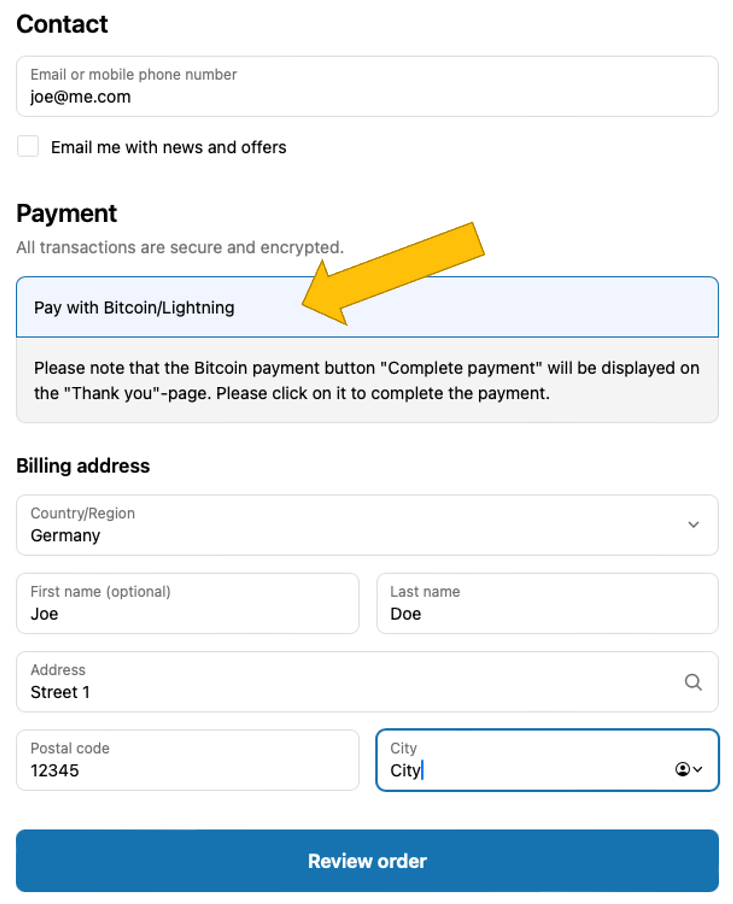
After your customer made his selection, and clicked on Checkout, he will see the checkout form. Here he adds is personal and shipping information, and selects Pay with Bitcoin/Lightning. Next, he must click on Review order (see image on the right).
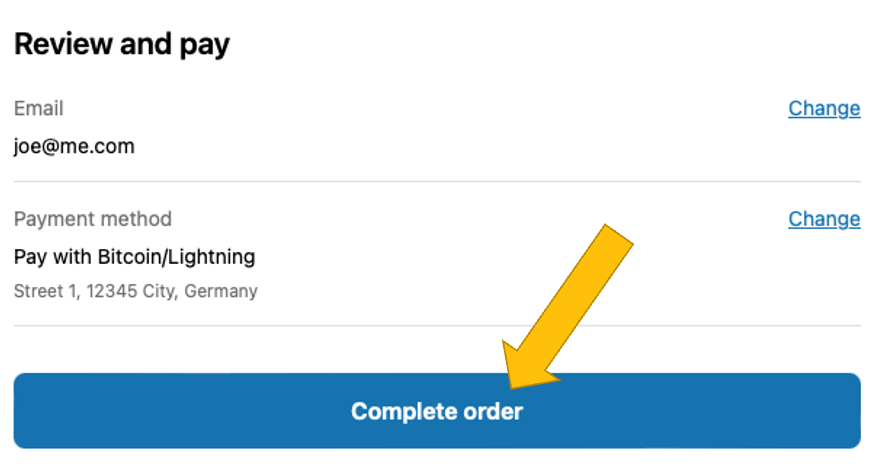
In the Review and pay screen, the customer has to click on Complete order, if everything is correct:
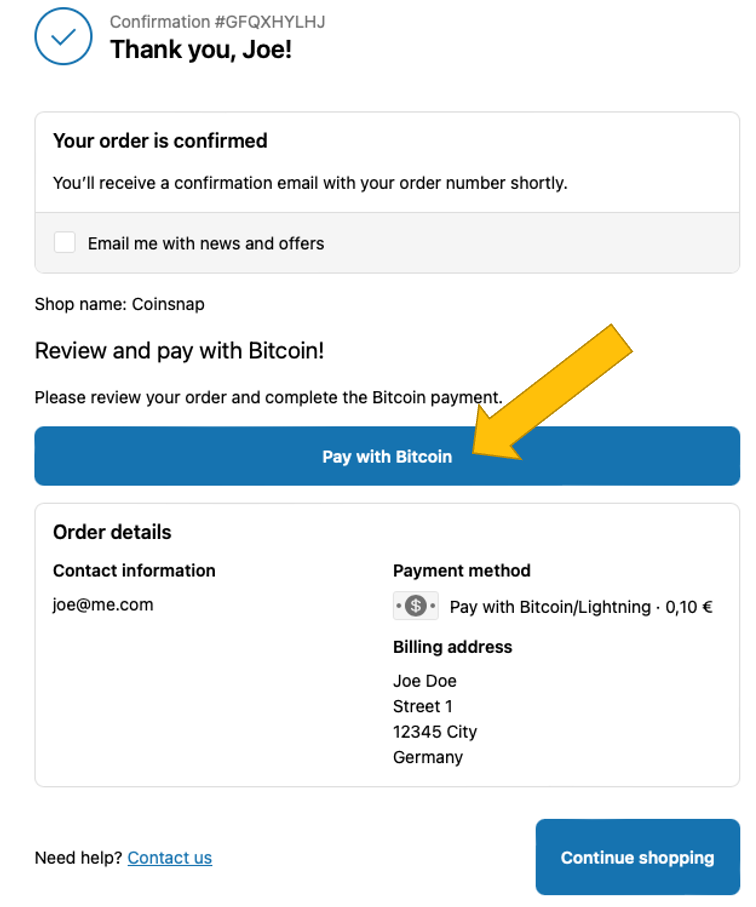
On the Confirmation page that now appears, your customer will start the actual Bitcoin Lightning payment by clicking on Pay with Bitcoin.
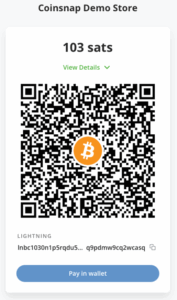
Now the actual Bitcoin payment window opens and the customer can pay with Bitcoin Lightning by scanning the QR code and authorizing the transaction in his Bitcoin Lightning wallet
After successful payment, the customer will receive a notification that the payment has been successfully completed.
During the ordering and payment process, the customer is informed by e-mail about the respective status of his order.
The customer will receive the first notification by e-mail after the order is successfully placed and another notification after the payment is successfully completed.
It is important to note that with Shopify, the order is placed first and only then is payment made. Both the customer and the store operator receive a message that the payment was successful. However, this does not mean that the payment has been successfully completed at the same time. Care must be taken to ensure that the customer has also paid successfully.
After successful payment, the status of the order is changed from Unpaid to Paid on the Shopify order page. The merchant can now start shipping the goods. At the same time, the deposited amount will be credited to the Lightning Wallet.
Shopify Manual Payment Methods
Shopify offers its own payment processing with Shopify Payments for various payment methods such as credit card, Google Pay and Apple Pay. These payment methods are prominently placed by Shopify to encourage their use.
In order to offer payers additional payment methods besides those offered by Shopify Payments, there are manual payment methods.
These manual payment methods are, for example, payments by cash on delivery or bank transfer.
A payment via Bitcoin and Lightning Payments is considered a manual payment by Shopify and Shopify does not charge any additional fees for this.
Shopify also does not offer the option to set a custom order of the payment methods offered, for example, to position Bitcoin and Lightning payments higher up. Changing the order can be done via paid apps.
On the listed payment methods page, Bitcoin and Lightning payments via Coinsnap are displayed as Bitcoin + Lightning. This setting can be changed. Just make sure to use the word Bitcoin.
Displaying a Bitcoin or Lightning icon is not supported by Shopify.
What do you need to offer Bitcoin Lightning payment in your Shopify store with Coinsnap?
It is actually very simple to add Bitcoin Lightning payment to your Shopify store. All you need is a Coinsnap account, a Bitcoin Lightning wallet, and to connect Coinsnap with your Shopify store.
Open an account with Coinsnap
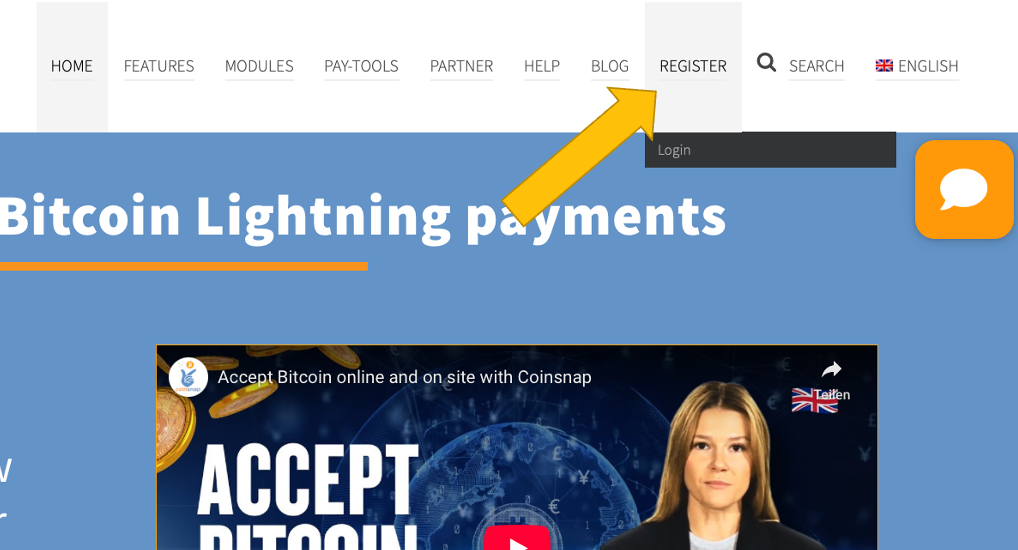
To open an account with Coinsnap, click here or on the menu item REGISTER in the top menu.
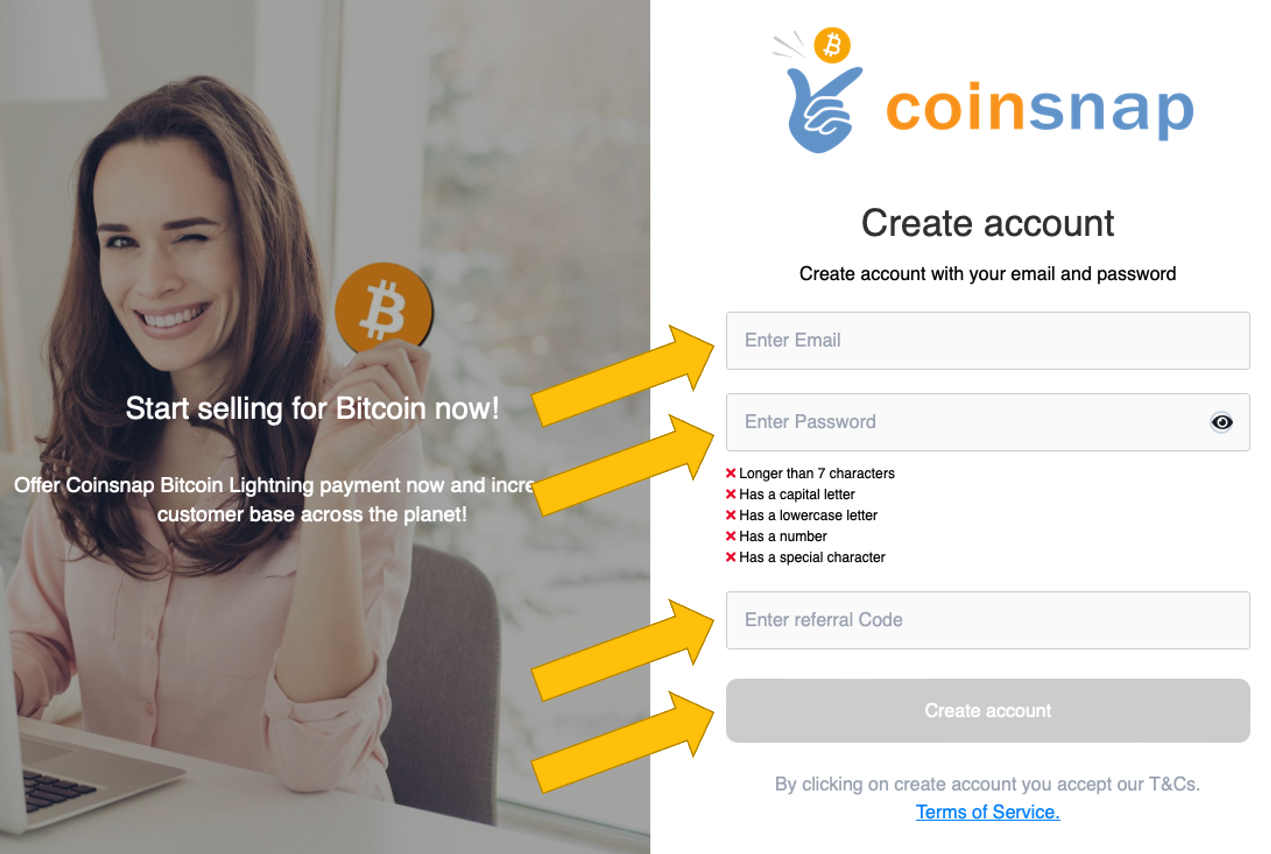
You will then be asked to provide your email address, choose a password and enter a Coinsnap discount code. (If you do not have one, you can always add it later.) Then click Create account.
You will then receive an email that you must confirm.
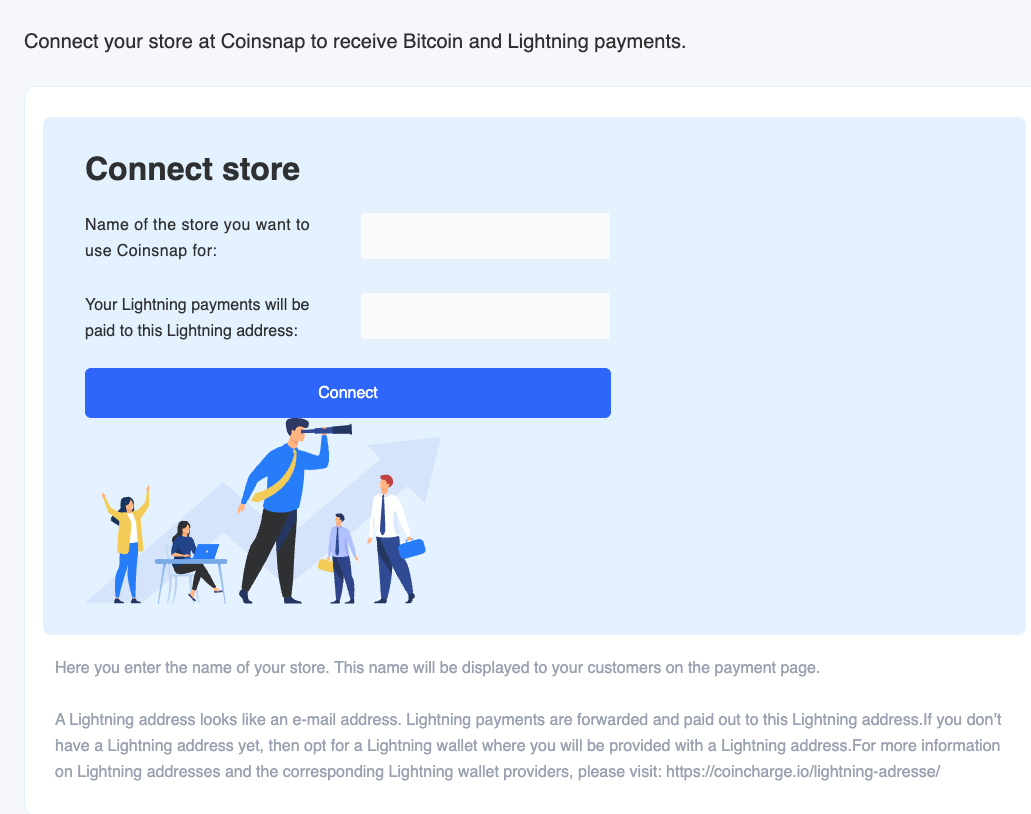
When you sign up for the first time, you will be asked for the name of your business. This name will later be displayed to your customers so they know which store they are paying at.
After that, you will be prompted to enter a Lightning address.
Then enter the Lightning address, which is similar to an e-mail address. Your customers’ Bitcoin and Lightning payments are forwarded to this Lightning address and credited to your Lightning wallet.
How you can quickly get a Bitcoin Lightning wallet and your Lightning address we’ll describe below.
Get a Lightning Address
A Lightning address looks like an email address, but instead of sending and receiving messages, you can use it to send and receive Bitcoin and Lightning payments. If you don’t have a Lightning address yet, choose a Lightning wallet that provides you with a Lightning address.
We have created an overview that lists all Lightning wallets where you can get a Lightning address.
As an example, we show you next how to set up a Wallet of Satoshi and how to find your Lightning address. (It’s a very similar process with other Lightning wallets.)
You have two options for obtaining the Wallet of Satoshi.
Either you go to the website https://www.walletofsatoshi.com/ and there you will find the two download options for the App Store or Google Play.
Or you can go directly to the store on your smartphone and search for the Wallet of Satoshi.
After you have started the Wallet of Satoshi on your smartphone, you will see a Receive button at the bottom left. Click on it.
The adjacent window opens. Below the QR code you will find the Lightning address, which looks like an e-mail address. This is your Lightning address, which you can give to anyone you want to receive sats from.
You deposit this Lightning address with Coinsnap and all incoming Bitcoin and Lightning payments are credited directly to your Bitcoin Lightning wallet via the Lightning address.
How to integrate Coinsnap Bitcoin payment in your Shopify store
To accept Bitcoin and Lightning payments in your Shopify store, the Shopify store must be connected to Coinsnap. There are two ways to do this: You can integrate Coinsnap into your Shopify store yourself or let us do the integration for you.
Do It Yourself
If you are comfortable with Shopify, you can certainly connect your Shopify store with Coinsnap by yourself. Just follow our step-by-step installation guide, and you should be done in about an hour.
Free Integration Service
If you don’t want to go to the trouble of connecting Coinsnap for Shopify with your Shopify store, we’ll be happy to do it for you – free of charge and reliably.