
Easy Digital Downloads Bitcoin User Guide
This user guide shows you how to accept Bitcoin and Lightning payments with the Easy Digital Downloads Bitcoin module. It explains the technical requirements, how to install and activate the Coinsnap plugin, how to connect it to your Coinsnap account or a BTCPay Server, how to configure all relevant settings, and how to enable Bitcoin payments for your digital products.
Accept Bitcoin & Lightning payments directly through Easy Digital Downloads.


Requirements
These requirements must be met for Coinsnap for Easy Digital Downloads (EDD) to function correctly:
WordPress & Easy Digital Downloads
- A self-hosted WordPress website
- Easy Digital Downloads installed and activated
Coinsnap & Payments
- An active Coinsnap account
-> how to set up a Coinsnap account - A connected Bitcoin Lightning wallet (self-custodial wallet or BTCPay Server)
-> how to get a Lightning address - The installed Coinsnap for Easy Digital Downloads plugin
-> How to install the plugin and connect it with your Coinsnap account or your BTCPay Server
Server & Access
- Ability to install and activate WordPress plugins
- HTTPS (SSL) enabled on the website
Easy Digital Downloads Setup
- At least one Easy Digital Downloads product created
Step 1 - CONFIGURE AND CUSTOMIZE THE PLUGIN
All the requirements listed above are met, and you have successfully installed the plugin in your WordPress.
If not, here is a Step-by-step: How to install a Coinsnap plugin in WordPress guide to help you install the plugin.
You will soon be able to accept Bitcoin payments (on-chain and Lightning) directly from within your EDD —
without the need for a complex shop system like WooCommerce or traditional payment providers such as credit cards or PayPal. But before you can do that, you need to configure Bitcoin payments in your EDD plugin.
EDD COINSNAP SETTINGS
Go to Downloads [1] → Settings [2] in the left sidebar of your WordPress backend. Open the Payments [3] tab and then click on Coinsnap [4].
You will now see this screen:
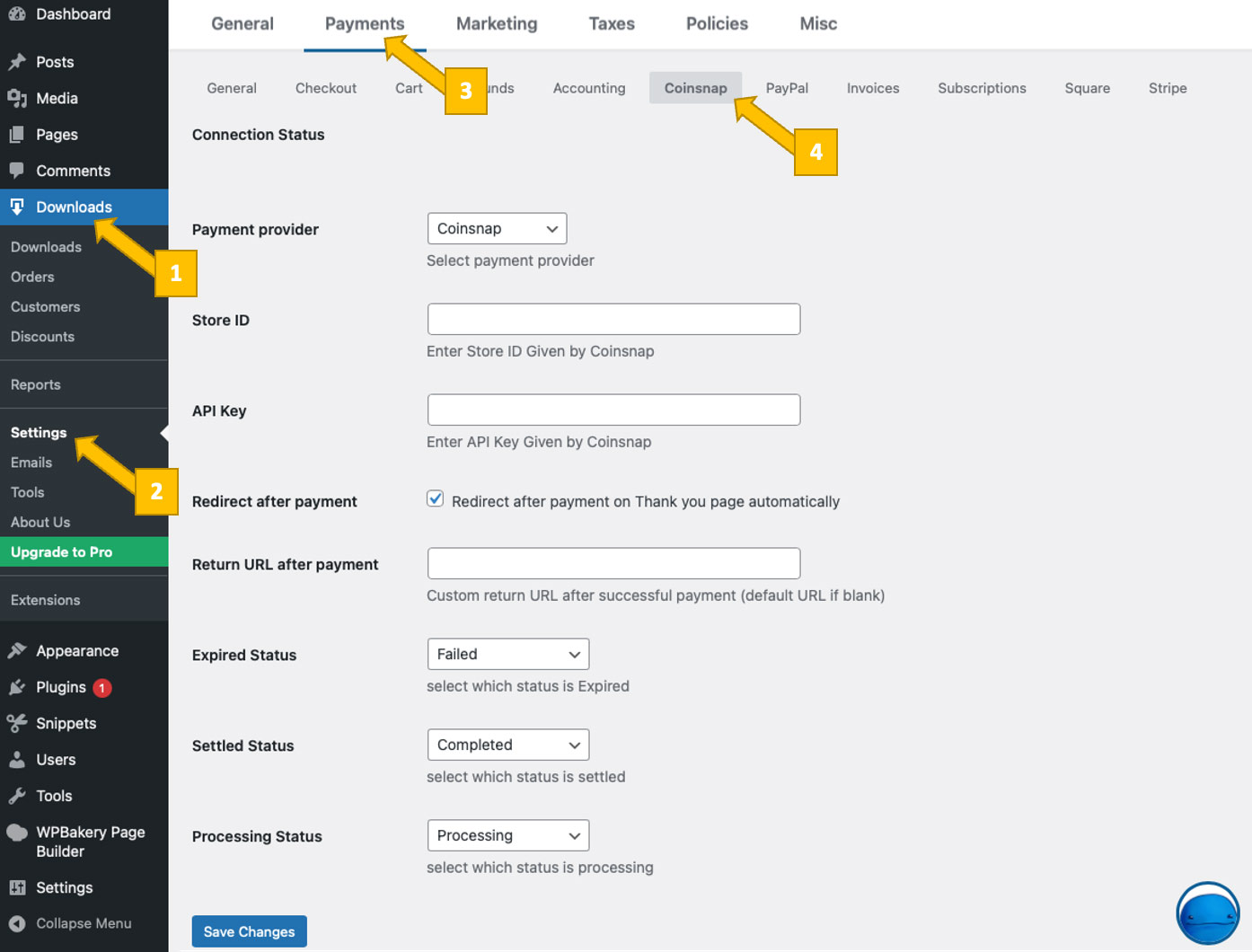
There are three options you need to configure. We’ll now walk you through each one step by step—and explain what it does and why it matters.
1. Choose and set up your payment provider

You now need to choose between two payment gateways: Coinsnap or your own BTCPay Server.
After making your selection, enter the corresponding Store ID and API Key for either Coinsnap or BTCPay Server.
Read here which payment provider is best for you and how to connect it to your plugin:
Coinsnap
Coinsnap is the easiest option. Coinsnap handles the technical setup for you and connects your store to Bitcoin and Lightning payments with just a few clicks. It’s ideal if you want a quick, hassle-free solution without managing your own payment infrastructure.
Learn here how to retrieve your Coinsnap Store ID and API Key:
-> Step-by-step explanation: How to connect your Coinsnap account with your plugin
BTCPay Server
BTCPay Server is a self-hosted option for merchants who want full control. You run your own Bitcoin and Lightning payment server, manage your own wallets, and don’t rely on a third party. This option offers maximum independence but requires more technical setup and maintenance.
Learn how to retrieve your Store ID and API Key using our BTCPay Server wizard here:
-> Step-by-step explanation: How to connect your BTCPay Server with your plugin
2. Redirect after payment and Return URL after payment

Here you define what happens after a successful payment. If Redirect after payment is enabled, the customer will be redirected back to the page containing the form from which the payment was made.
If you prefer to use a custom thank-you page, create the page and enter its URL in the Return URL after payment field.
3. EED payment statuses
Easy Digital Downloads tracks the status of each payment associated with a form submission. These statuses indicate whether a payment is Pending, Processing, Completed, Refunded, Partially Refunded, Revoked, Failed, Abandoned, or On Hold, and help you understand the current state of each transaction.
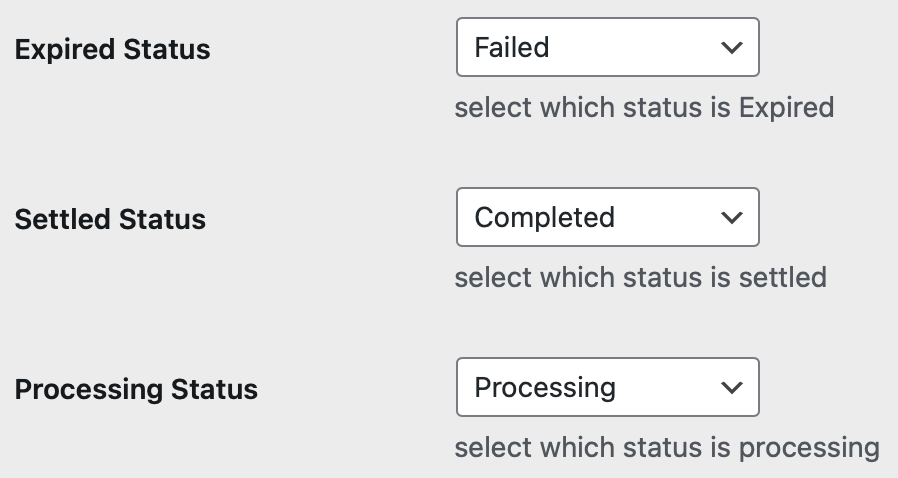
The Coinsnap Bitcoin payment plugin only tracks three payment statuses — Expired, Settled, and Processing. You now need to map each of these to the corresponding status option available in Easy Digital Downloads.
We strongly recommend keeping the default payment status mapping (see image below), as it provides the most reliable and consistent behavior in almost all cases; selecting an alternative option from the dropdown should only be done in very specific, exceptional circumstances.
DONE
Save these settings by clicking the Save Changes button below. Your Easy Digital Downloads settings will then display this message at the top of the screen:

You are now ready to accept Bitcoin payments (on-chain and Lightning) with EDD!
Step 2 - MAKE A TEST PAYMENT TO ENSURE EVERYTHING WORKS CORRECTLY
After all settings have been made, a test transaction should be carried out.
Fill out a Ninja Forms form you have just created and click the black PAY WITH SATS button to initiate the Bitcoin payment.
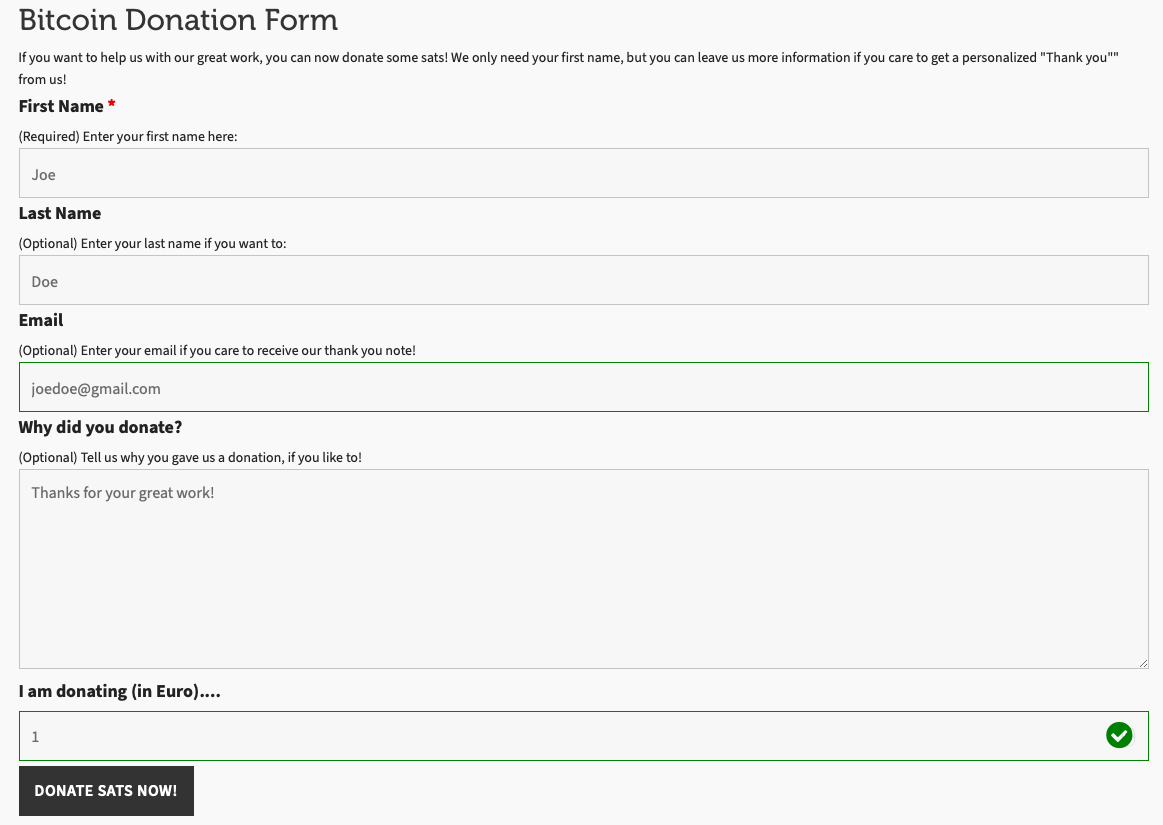
You will then be redirected to the Bitcoin payment page to complete the purchase.
The Bitcoin payment page allows the payer to choose between Bitcoin and Lightning. Both payment methods are integrated into the displayed QR code.
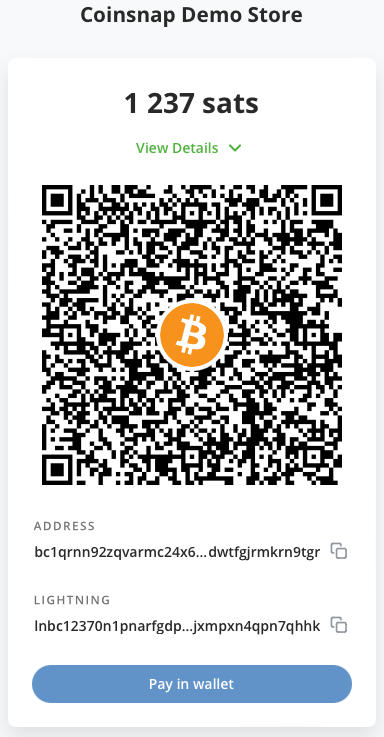
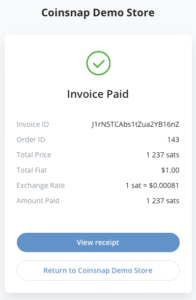
After a successful payment, the invoice can be viewed in detail.
Frequently Asked Questions
What Users Ask About This plugin
Do I need a Coinsnap account to use the plugin?
Not necessarily: You can either connect the plugin to a Coinsnap account or alternatively to your own BTCPay Server.
Does the plugin support both Bitcoin on-chain and Lightning payments?
Yes. The Coinsnap for Easy Digital Downloads plugin supports Bitcoin on-chain and Lightning payments via a single QR code.
Can I use the plugin for multiple digital products?
Yes. Once Coinsnap is enabled, Bitcoin payments can be offered for all Easy Digital Downloads products without additional configuration.
What happens if a customer does not complete the Bitcoin payment?
If the payment is not completed within the time limit, it will expire and the order will be marked accordingly in Easy Digital Downloads.
Where can I see Bitcoin payment transactions in Easy Digital Downloads?
All Bitcoin payments are listed in the Easy Digital Downloads order overview, including their current payment status.
Can I sell subscriptions with Bitcoin using EDD?
Not automatically — EDD recurring payments currently do not support Bitcoin-based renewals.
Does Coinsnap process refunds for EDD?
Refunds must be issued manually because Bitcoin payments are irreversible.
Can I test the integration before going live?
Yes. After configuring the plugin, you should run a test transaction to verify that Bitcoin and Lightning payments are processed correctly.
