
Understanding xPub Keys: How Coinsnap Enables Direct Bitcoin Self-Custody for Merchants
What Is an xPub Key – and Why Is It Important for Coinsnap?
A simple introduction for Bitcoin beginners and Coinsnap merchants.
Bitcoin is an open, transparent, and self-sovereign monetary network. Merchants who accept Bitcoin often prefer receiving funds directly into their own wallet — without intermediaries, custodians, or centralized services.
To make this possible, Coinsnap relies on an important Bitcoin concept: the xPub key.
This article explains what an xPub key is, why Coinsnap uses it, and how merchants can set it up in a few minutes.
What Is an xpub Key (Explained Simply)?
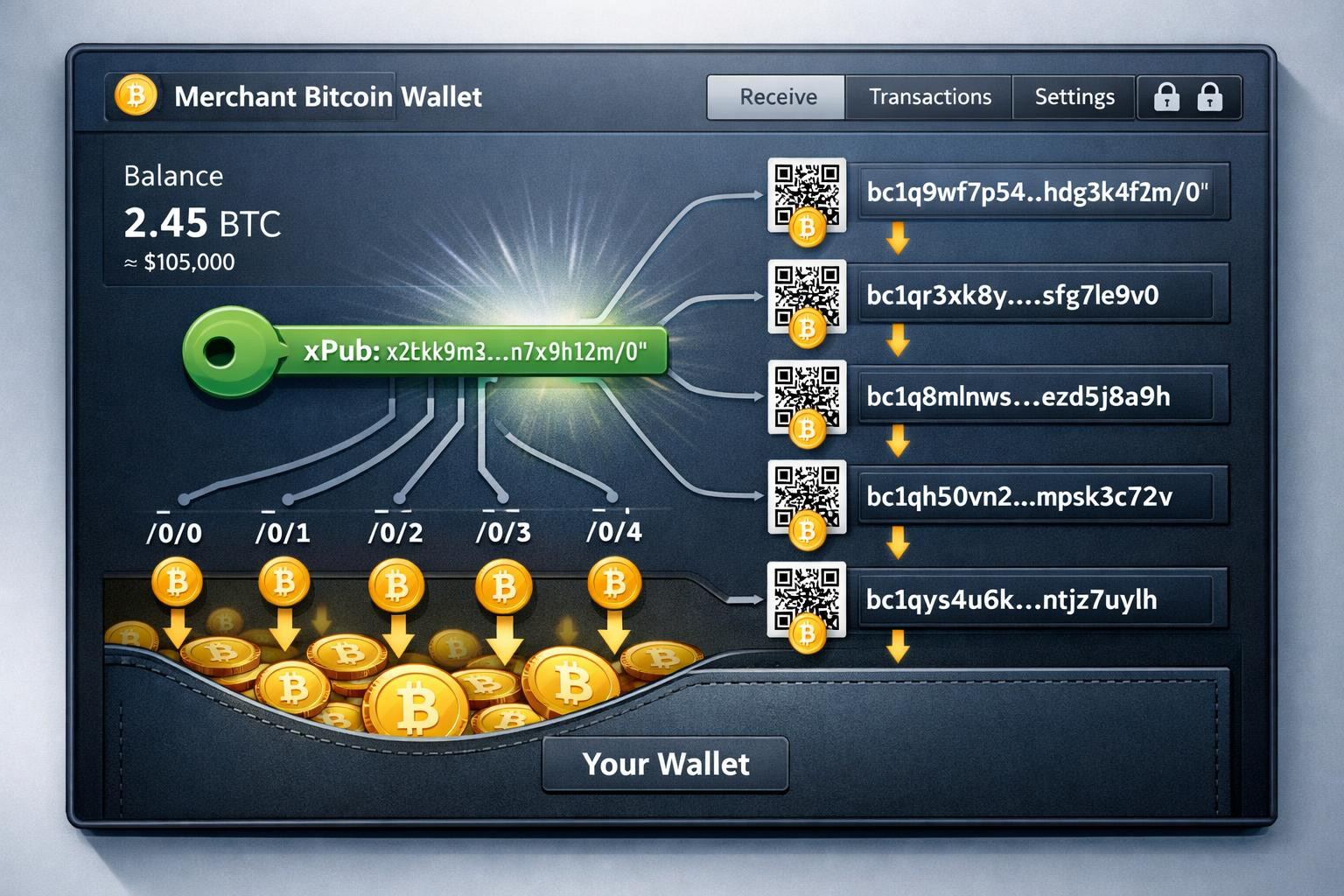
- From a single xpub key, your wallet (or Coinsnap) can generate an unlimited number of receiving Bitcoin addresses.
- The xpub cannot spend coins — it only allows creating new, unique receiving addresses.
- You stay in full control of your Bitcoin at all times.
- You never need to manually create a new on-chain address for every customer payment again — Coinsnap does this automatically.
- does not expose private keys
- does not allow spending
- but does allow generating new Bitcoin receiving addresses forever
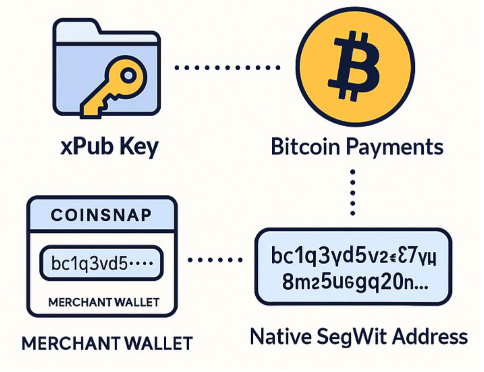
Why Coinsnap Recommends Native SegWit (bc1q…)
Bitcoin supports several types of on-chain addresses. The newest and most efficient typestarts with:
bc1q…
Coinsnap recommends them because they offer:
- lower transaction fees
- modern and efficient design
- broad compatibility across all self-custodial wallets
- excellent future-proofing
If your wallet is using Native SegWit, the master public key will often be called:
- zpub (or sometimes still xpub, e.g. in Sparrow Wallet)
Coinsnap is able to generate correct bc1q on-chain addresses from either an xpub or a zpub— as long as the wallet uses the BIP84 standard.
How Coinsnap Uses Your xPub Key
Whenever a customer pays an on-chain Bitcoin invoice, Coinsnap automatically generates a new Bitcoin address derived from your xPub key.
The process:
-
You save your xPub key inside your Coinsnap dashboard.
-
Coinsnap creates a new address for each incoming order.
-
The customer pays directly to your self-custody wallet.
-
Coinsnap never holds or controls your funds.
You enjoy automated address generation while maintaining full control of your Bitcoin.
What Happens With Lightning vs. Bitcoin Payments?
Coinsnap supports both Lightning and On-Chain Bitcoin payments:
1. Lightning Payments
You must provide a Lightning Address when setting up your account.
All Lightning payments go directly to that wallet.
Examples:
2. On-Chain Bitcoin Payments
If you add your xPub key:
-
Lightning payments → go to your Lightning wallet
-
On-chain payments → go directly to your Bitcoin wallet
This cleanly separates your Lightning and On-Chain funds.
How to Add Your xPub Key in the Coinsnap Dashboard
For New Coinsnap Users
-
Sign up or log in to Coinsnap.
-
Enter your Lightning Address (required).
-
Go to Settings → Wallet.
-
Paste your xPub / zPub key.
-
Save — done!
For Existing Coinsnap Merchants
Just go to:
Settings → Wallet → Add xPub Key
All future on-chain payments will now be sent directly to your wallet.
Wallets That Provide an xPub Key
Hardware Wallets (Recommended)
-
BitBox02
-
Ledger Nano S / X / Stax
-
Trezor One / Model T
Desktop Wallets
-
Sparrow Wallet
-
Electrum
-
Specter Desktop
Mobile Wallets
-
BlueWallet (vault mode)
-
Nunchuk
-
Zeus (with your own node)
Wallets That Do Not Provide xPub Keys
-
Wallet of Satoshi (Lightning only)
-
Exodus
-
Coinbase / Binance (custodial, no self-custody keys)
How to Find the xPub Key of Your Bitcoin Wallet
Below you’ll find a selection of Bitcoin wallets and simple instructions on how to find the xPub key in each of them.
Hardware Wallets
Hardware wallets store your private keys offline and are a popular choice for beginners who want additional security.
The xPub key is usually displayed in the wallet’s companion app.
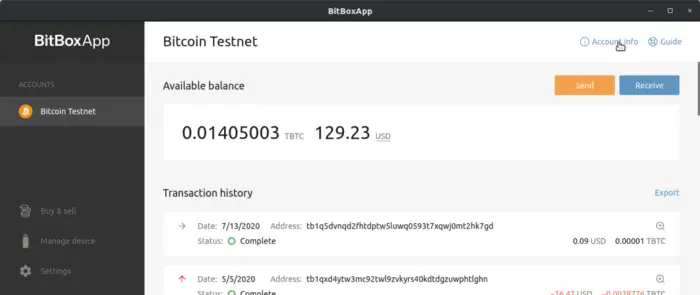
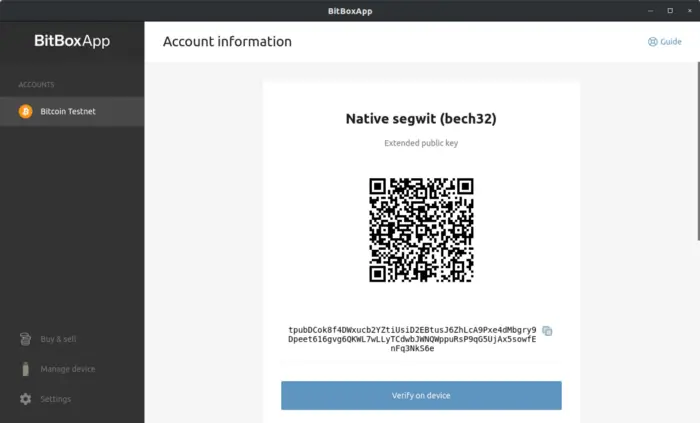
BitBox02 (BitBoxApp)
BitBox02 is a compact hardware wallet with a simple and well-structured companion app, making it suitable for beginners.
How to find the xPub key in BitBoxApp:
-
Open the BitBoxApp and select your Bitcoin account.
-
Open Account information.
-
Copy the displayed extended public key (xPub).
Ledger (Ledger Live)
Ledger hardware wallets are widely used and beginner-friendly. The Ledger Live app allows you to manage your Bitcoin account and access advanced account details.
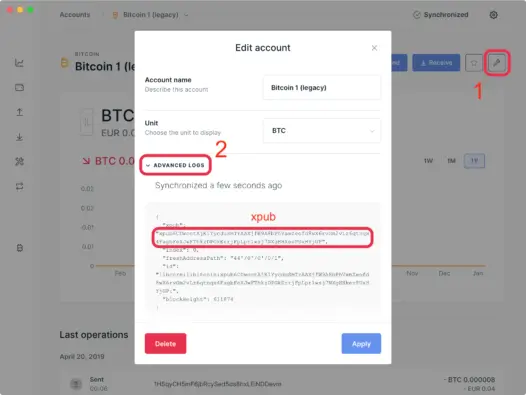
How to find the xPub key in Ledger Live:
-
Open Ledger Live and select your Bitcoin account.
-
Click on the settings icon of the account.
-
Open Advanced logs.
-
Look for the entry starting with xpub… and copy it.
Trezor (Trezor Suite)
Trezor wallets focus on transparency and ease of use. Trezor Suite clearly shows all important account information.
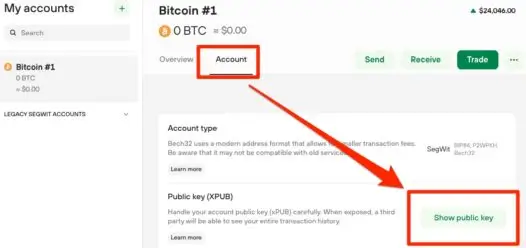
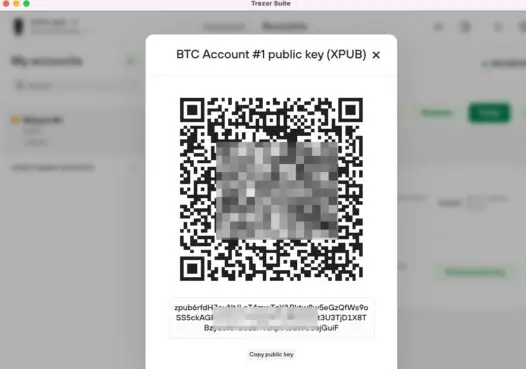
How to find the xPub key in Trezor Suite:
-
Open Trezor Suite and select your Bitcoin account.
-
Go to Account details.
-
The xPub key is displayed and can be copied.
Software Wallets
Sparrow Wallet (Desktop)
Sparrow Wallet is a popular desktop wallet that combines a clean interface with powerful features, making it suitable for beginners and merchants alike.
How to find the xPub key in Sparrow Wallet:
-
Open Sparrow Wallet and select your wallet.
-
Click on Settings.
-
Open the Keystore or Script section.
-
The extended public key (xPub) is displayed and can be copied.
Specter Desktop
Specter Desktop is designed to guide users through Bitcoin wallet management, especially when using hardware wallets. It clearly displays account information, including the xPub key.
How to find the xPub key in Specter Desktop:
-
Open Specter Desktop and select your wallet.
-
Go to Wallet settings.
-
Open the Addresses or Keys section.
-
Copy the displayed xPub key.
Electrum (Desktop)
Electrum is one of the most widely used Bitcoin wallets and is well known for its reliability and simplicity.
How to find the xPub key in Electrum:
-
Open your wallet in Electrum.
-
Click on Wallet in the top menu.
-
Select Information.
-
The xPub key is shown directly and can be copied.
BlueWallet (Mobile)
BlueWallet is a simple and intuitive mobile wallet for iOS and Android, making it a good choice for beginners who prefer using their smartphone.
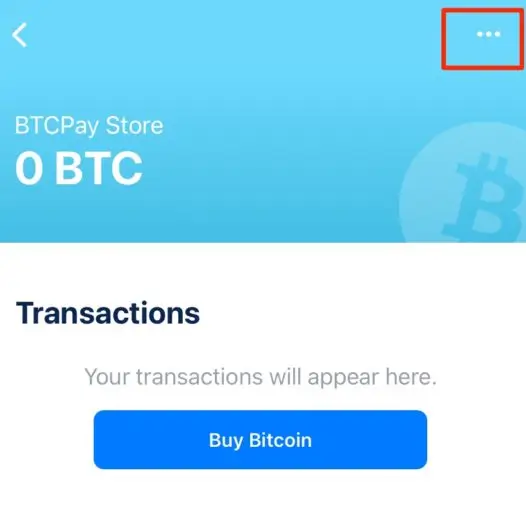
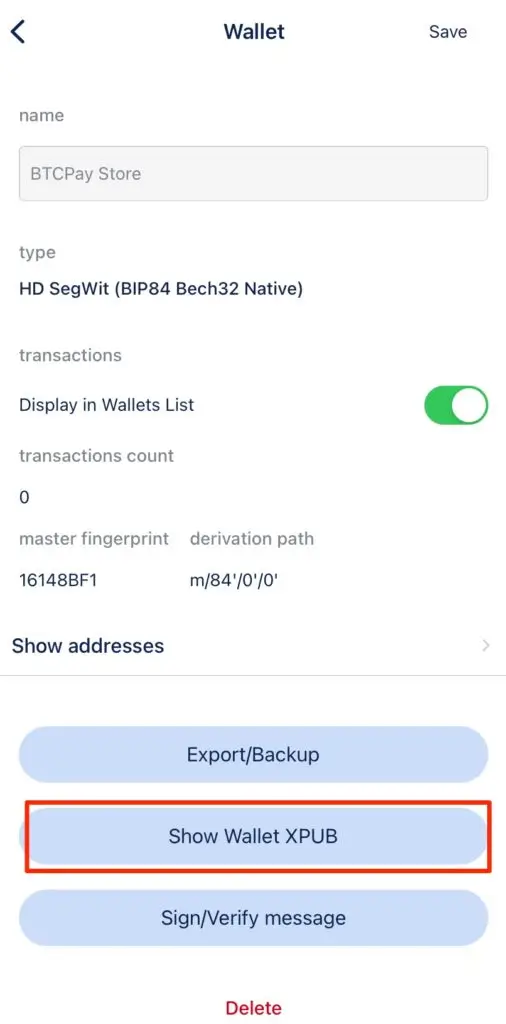
How to find the xPub key in BlueWallet:
-
Open the BlueWallet app and select your Bitcoin wallet.
-
Tap on the settings icon.
-
Choose Show Wallet XPUB.
-
Copy the xPub key or scan the QR code.
Conclusion
xPub keys allow merchants to receive Bitcoin on-chain payments directly in their own self-custodial wallet — securely and without intermediaries.
With Coinsnap:
-
Lightning payments go to your Lightning address
-
On-chain payments are derived from your xPub key
This setup gives you complete control, maximum flexibility, and a clean separation between Lightning and Bitcoin funds.