
Get paid in Bitcoin with the Coinsnap Payment Link
Let your customers or clients pay their bills with Bitcoin

You have written an invoice to your customer and would like this invoice to be paid via Bitcoin Lightning?
With Coinsnap Pay-Link you can send each of your customers a payment link that looks similar to this one:
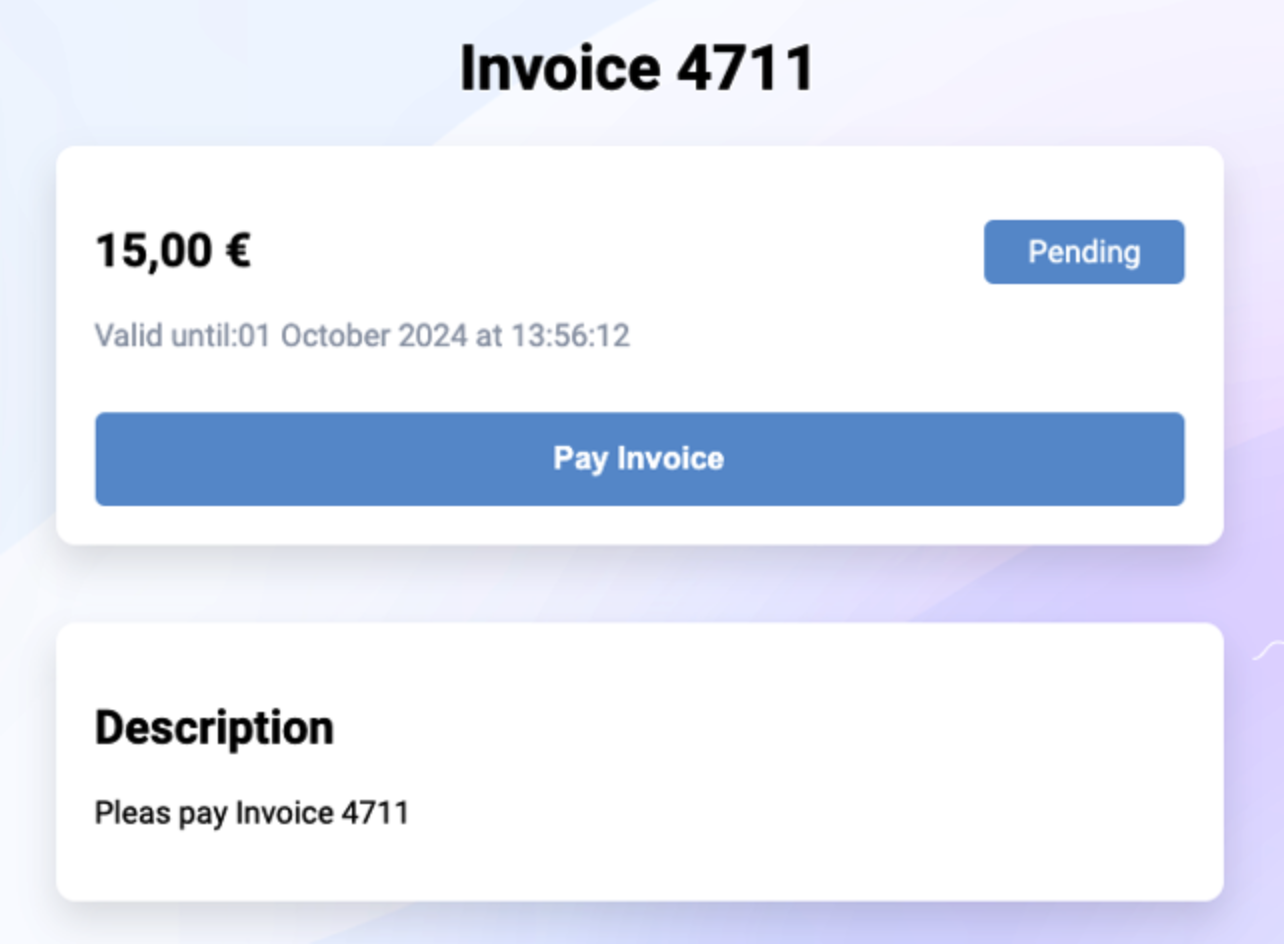
When your customer clicks on this payment link, a payment page opens with all the relevant information about this invoice (see right).
The customer clicks on Pay Invoice and is shown a QR code with which the invoice can be paid via Bitcoin Lightning.
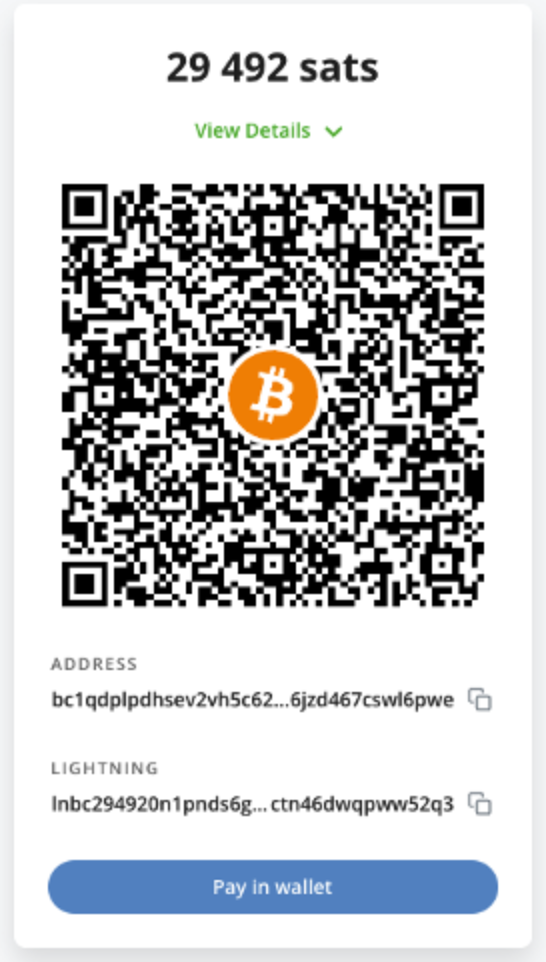
As the payee, the invoice amount is credited directly to your own Bitcoin wallet.
Having your customers pay you with Bitcoin is particularly convenient for you as a payee with Coinsnap Pay-Link.
As a merchant, you enter the invoice amount in euros and if your customer pays a few days after receiving the invoice, the exchange rate at the time of payment is used.
In this way, you protect yourself against the risk of the Bitcoin exchange rate between the time of invoicing and the time when the invoice is actually paid.
How to create a payment link?
To be able to create a payment link, you need a Coinsnap account. After you have logged in to the Coinsnap backend, you will find the menu item “Payment tools” in the left menu bar and the item “Pay link” there.
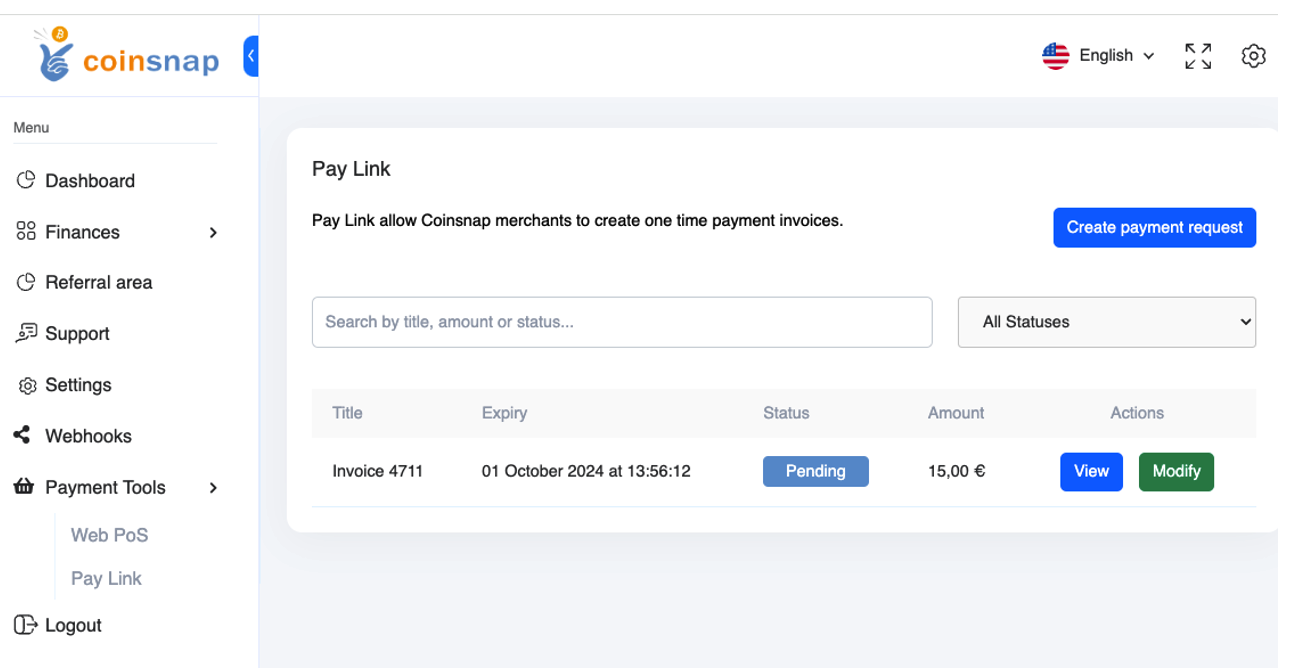
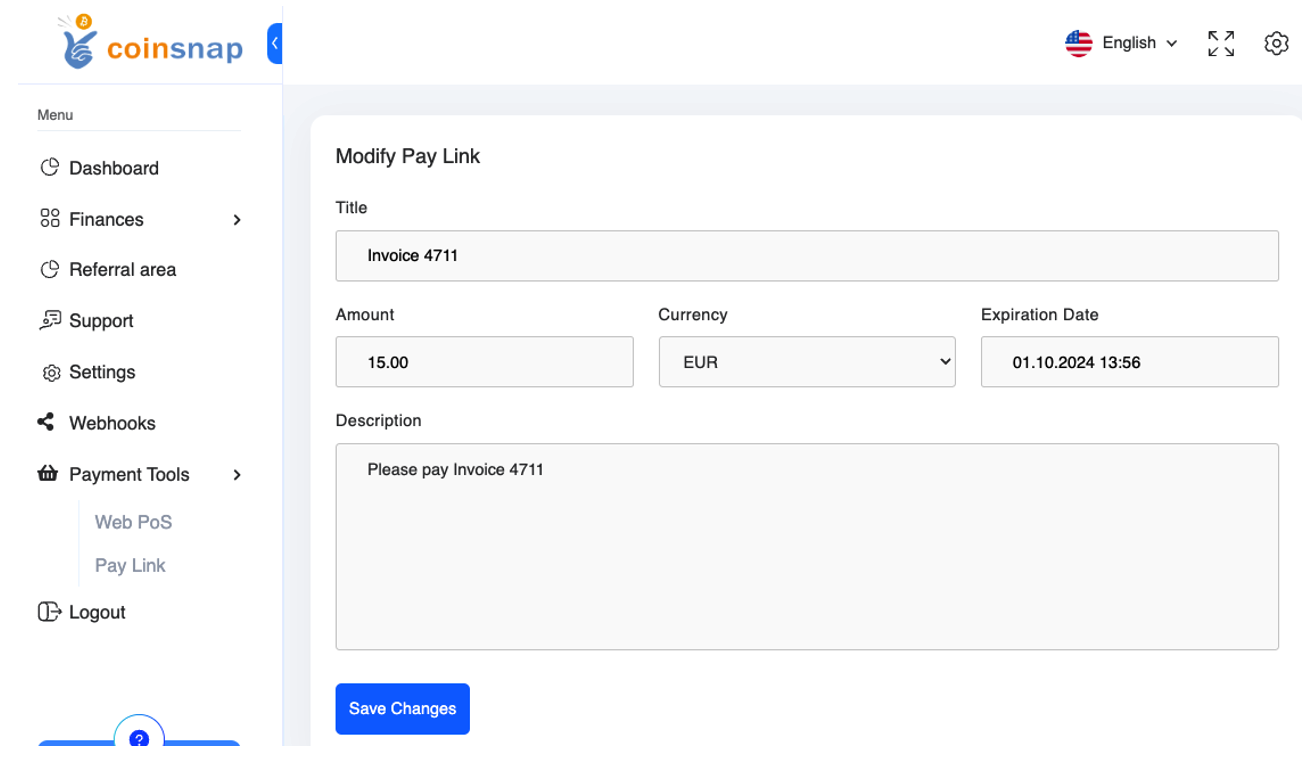
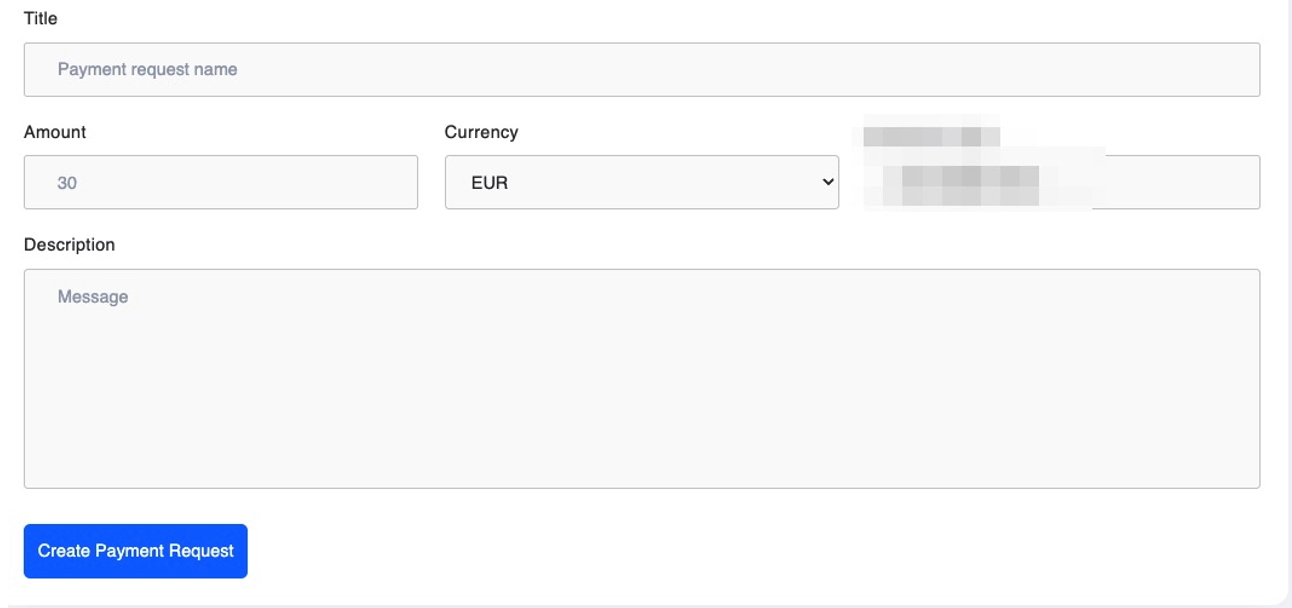
To create a new payment link, click on Create Payment Link. A name for the payment link can be entered in the Title field. This could be the invoice number, for example. Then enter the invoice amount in the Amount field and the currency in which the invoice is issued in the Currency field.
You can then specify the date by which the invoice should be valid, i.e. the latest date by which the invoice must be paid by your customer. Further information about the invoice can be entered in the Description field.
If you then click on “View”, you will see the invoice as it is displayed to the payer of the invoice.
You can now use the URL from your browser to send it to your customer together with the invoice.

It is not necessary to create a separate payment link for each customer. Your customers can fill out and pay their invoice themselves using the payment form. Just as you already provide your customers with your bank details on your website and on your invoices so that they can pay by bank transfer, you also provide your customers with the payment link to the payment form. You will receive a static payment link that refers to the empty payment form and can therefore be used in the same way for all your customers. You can embed the payment link to the payment form on your website, insert it into your invoices or integrate it into the email form when you send your invoice to your customers.
Tags:Bitcoin Pay-Link Bitcoin Payment Link Pay-Link Payment Link