
How to Integrate the Coinsnap HTML Bitcoin Invoice Form
The Coinsnap HTML Bitcoin Invoice Form lets your customers pay their invoices in Bitcoin directly on your website. You embed a ready-made HTML form on a page (for example, /bitcoin), and your customers simply enter their invoice amount, invoice number, and optional details — just like an online banking form. After they submit, a Bitcoin / Lightning payment request is generated and can be paid immediately.
Fast, simple, and ready to use in under a minute once your form is configured.


Step 1
How to create your personal Bitcoin Invoice form
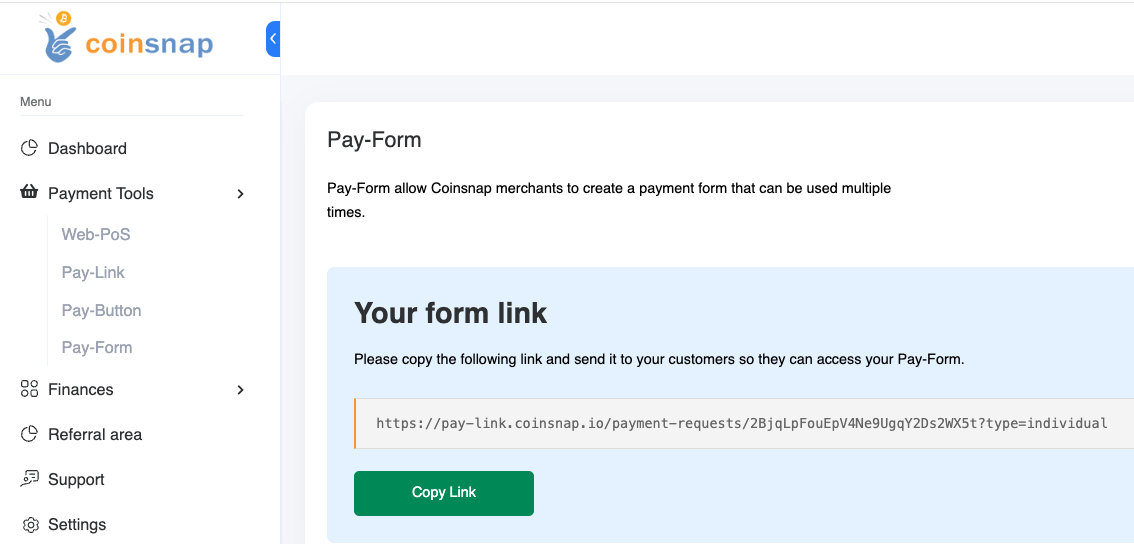
After logging into the Coinsnap backend, you will find all the options for creating your invoice form under the menu item “Pay Tools” → “Invoice Form”.
Step 2
You have the choice between two variants:
🔧 Self-hosted form (HTML version):
Ideal for direct integration on your own website. You receive the HTML code, which you simply integrate into your page.
🔗 Link form:
Perfect for invoices in PDF format or for sending by e-mail. The generated link leads directly to the Bitcoin payment form.
How to use your form:
-
Select the desired variant.
-
Copy the generated HTML code or payment link.
-
Add it to your website – or as a link directly in your invoices.
Done! Your customers can now pay easily and securely with Bitcoin – whether via your website or via a link.
Frequently Asked Questions
What Users Ask About This plugin
What is the main difference between the Invoice Form and the Payment Link?
With a Payment Link, you create a separate link for each invoice by entering all data yourself. With the Invoice Form, you use a single fixed link (e.g. yourdomain.com/bitcoin) that appears on all invoices. Customers enter their own invoice data there, which is ideal if you send many invoices or want a standard Bitcoin option on all of them.
Does the Invoice Form have to be on my own website?
For the HTML version described here, yes — you embed the form directly into your site. This means customers stay on your domain, which improves trust and user experience.
How is the Bitcoin amount calculated?
he customer enters the invoice amount in fiat currency (e.g. EUR). At the time of payment, Coinsnap converts this amount into Bitcoin using the current exchange rate. This way, the BTC value is always up-to-date and you’re not exposed to exchange rate changes between issuing and paying the invoice.
Does the Invoice Form support Lightning and on-chain Bitcoin?
Yes. After submitting the form, the customer is shown a payment page with a Bitcoin / Lightning request that can be paid with compatible wallets — either Lightning or on-chain, depending on your Coinsnap configuration.
Do I need WordPress for this to work?
No. The HTML version works with any type of website because it uses plain HTML. There is also a dedicated WordPress plugin for the invoice form, but it is not required if you are embedding the HTML version manually.
