Gravity Forms

ACCEPT BITCOIN & LIGHTNING PAYMENTS WITH GRAVITY FORMS
Add Bitcoin and Lightning payments to Gravity Forms—ideal for donations, registrations, bookings, and advanced payment forms, with no code required.
With our Gravity Forms Bitcoin payment plugin, you can extend your existing payment options by adding Bitcoin payments (On-chain + Lightning) to your forms—turning them into lightweight checkout experiences for donations, services, registrations, data access, or one-time payments.
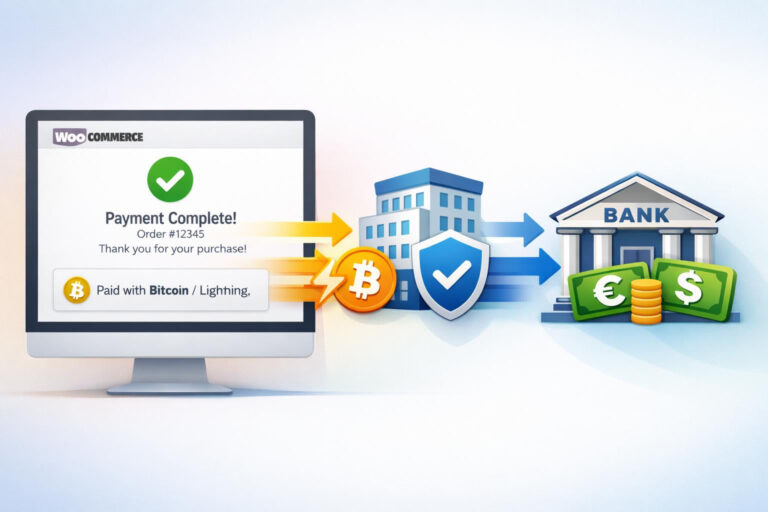
Also, with this Bitcoin payment plugin, you always retain full control: connect it to your BTCPay Server or to your Coinsnap account, and all Bitcoin payments are sent directly from your customers’ wallets to your own Lightning or on-chain wallet. If you prefer not to deal with Bitcoin, you can easily configure your Coinsnap account so that all proceeds are automatically deposited in euros into your bank account.
Of course, you can fully customize your Bitcoin checkout by choosing the payment method name, uploading your own icon or logo, defining the display texts at each step of the checkout, and setting the redirect destination after a successful payment.
You can even set a Bitcoin discount to promote Bitcoin payments: when customers choose Bitcoin at checkout, their cart total is reduced by the predefined percentage or fixed amount.
With our Gravity Forms Bitcoin payment plugin, you can collect Bitcoin payments from your website visitors for all kinds of offerings—such as newsletter sign-ups, comments, support requests, help inquiries, or even personal meeting scheduling—directly inside your Gravity Forms forms.
Add the Bitcoin payment option to any form you choose and accept both on-chain Bitcoin and Lightning, so you can get paid in a fast, flexible way without changing how you already run your site.


ACCEPT BITCOIN IN GRAVITY FORMS – THE SOLUTION FOR MANY USE CASES
WHO IS THIS PLUGIN FOR?
Gravity Forms is positioned as a full “business forms” platform: you use it for lead-capture and workflows, but very often also for payment/donation forms, order forms, event registrations, subscriptions, and more complex multi-step forms—especially when you need conditional logic, calculations, and structured data collection.
Gravity Forms supports payments via official add-ons (notably Stripe, PayPal Checkout, Square, Mollie, 2Checkout), which is why it’s widely used for checkout-like forms and donation flows without running a full shop system.
However, Gravity Forms does not include a native integration for Bitcoin or Lightning payments, which means merchants who want to accept decentralized, low-fee, and irreversible payments need an additional payment solution to extend Gravity Forms beyond traditional payment rails.
With Coinsnap’s Bitcoin Payment for Gravity Forms plugin, Bitcoin payments can now be added either alongside the existing Stripe & Co. setup or as a standalone payment option—enabling additional use cases and providing an independent, low-cost, and easy-to-integrate alternative to traditional card-based payments.
Bitcoin payment for Gravity Forms – monetarize your website
By combining Gravity Forms with Coinsnap’s Bitcoin Payment for Gravity Forms plugin, you make one of the most powerful WordPress form builders even more versatile—adding Bitcoin payments (On-chain + Lightning) and unlocking small- and micropayment-based business models that go beyond traditional payment methods.
With Coinsnap’s Bitcoin Payment plugin for Gravity Forms, merchants can unlock new revenue streams that are difficult or impractical to implement with standard payment integrations such as Stripe or PayPal.
By enabling Bitcoin payments (On-chain + Lightning) directly in Gravity Forms forms, businesses can efficiently accept small amounts and micropayments, offer pay-per-use services, low-value digital downloads, donations, tips, or deposits—use cases where traditional payment methods are often uneconomical due to fees, minimum charges, or operational friction.
This allows Gravity Forms forms to be used also as flexible, cost-effective payment interfaces for entirely new business models.
Add Bitcoin payment to your Gravity Forms to:
- Accept donations for your content.
Add a simple form and allow readers or viewers to donate a few sats—or a fixed Bitcoin amount—to support your work. - Charge sats to vote—and get clean, bot-free poll results.
By requiring a small Bitcoin or Lightning micropayment to cast a vote, you can effectively block bots and spam while keeping polls fast, fair, and frictionless for real users. - Capture clean, valuable data with a small sats fee.
By requiring a small Bitcoin or Lightning micropayment to submit a form, you discourage spam and low-quality submissions while ensuring that only genuinely interested users complete your data-intensive forms. - Reach more customers and pay less per transaction.
By adding Bitcoin payments to your forms, you can accept payments globally with minimal fees. - Monetize premium content.
Deliver download links for exclusive videos, podcasts, documents, or other media only after a Bitcoin payment has been received. - Sell your time—globally, with low fees.
By adding Bitcoin payments to Gravity Forms, you can require low-fee deposits, full prepayments, or small commitment fees for appointments and consultations and reduce no-shows. - Effectively eliminate contact-form spam.
By charging a small Lightning micropayment (for example, 20 sats) for form submissions, bots and automated spam are economically excluded.
Why Bitcoin payment for Gravity Forms makes sense
Bitcoin payments for Gravity Forms—via on-chain and Lightning—enable monetization models that are often impractical with traditional payment providers.
Lightning’s very low fees make micropayments viable, allowing you to charge small submission or access fees to reduce spam, monetize premium content, or collect deposits and commitment fees.
With Coinsnap, you can add Bitcoin payments alongside—or independently from—Stripe, PayPal, Google Pay, and Apple Pay, and start earning Bitcoin while expanding your revenue options.
Can I accept Bitcoin and Lightning payments with Gravity Forms?
WHY CHOOSE COINSNAP FOR
KEY BENEFITSWhether you’re a small eCommerce shop or a scaling online store, this plugin gives you a fast, reliable and fully-integrated Bitcoin payment solution that fits right into your online shop’s workflow.

Easy Integration
Coinsnap offers a wide range of modules, plugins and integrations that can be installed in any system with just a few clicks.

No Tech – No Code
No infrastructure, no nodes, no servers, and no technical know-how required. Coinsnap handles the entire Bitcoin payment process.
Integration Service
If the integration seems complex, the Coinsnap team can help set everything up and connect your shop directly to your Coinsnap account.
Highest Security
Coinsnap operates fully on the self-custody principle. Every Bitcoin payment is deposited directly to your own, self-managed wallet. Your Bitcoin always remain 100% under your control.

Detailed Analytics
The Coinsnap dashboard provides detailed information for every payment, including timestamp, Bitcoin exchange rate at the time of payment, order and shop data, tax-relevant information.
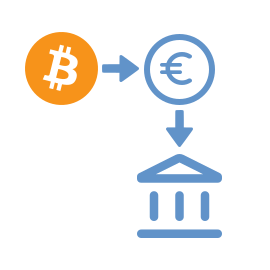
Pay-out to Bank Account
If you prefer not to hold Bitcoin, you can automatically convert payments into euros. Coinsnap integrates with several licensed Bitcoin brokers who settle directly to your bank account.

designed for WP merchants
featured on WordPress
This WordPress plugin is available free of charge in the official WordPress Plugin Directory, with no costly “pro” version.
Simply go to “Add New Plugin”, search for Coinsnap, select the plugin, install it and activate it.
Download now3 Steps to Accept Bitcoin — From Setup to Payment
Create your account with nothing but an email, install the module that fits your business, and receive funds directly to your own Bitcoin wallet or bank account. Simple onboarding, quick integration, and full control over your payments.

Get Started Fast
Create your account in seconds — all you need is an email.
Integrate Easily
Use ready-made Bitcoin modules for smooth and effortless integration.
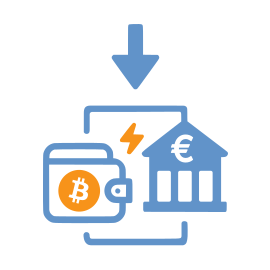
Receive Instantly
Get instant deposits into your Bitcoin wallet (On-chain + Lightning) or your bank account.
Why Bitcoin?
safe, inexpensive, globalThere are many good reasons to accept Bitcoin in your online store.

Guaranteed Payment
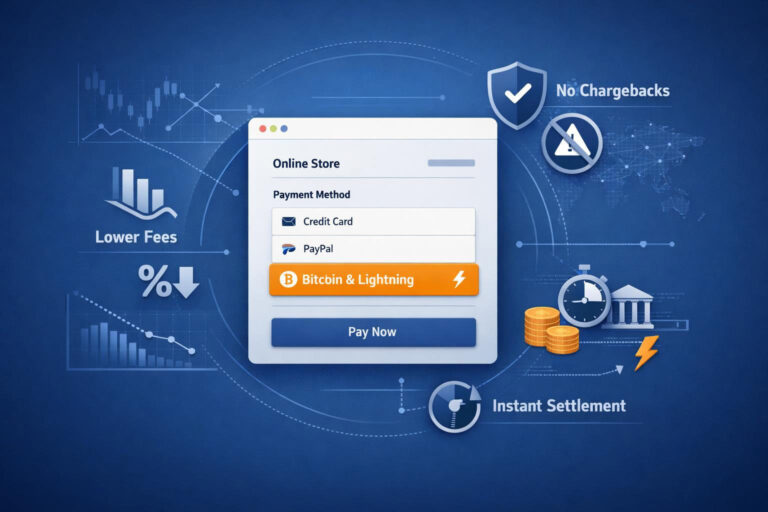
Bitcoin payments are final and cannot be reversed. Both on-chain and Lightning transactions are irreversible — eliminating the risk of chargebacks.

Low Fees
Bitcoin payments, especially via Lightning, are significantly cheaper than credit cards, PayPal, or other traditional payment methods.

Globally Available
Bitcoin works worldwide — without banks, without restrictions, and independent of a customer’s country of origin or payment infrastructure.
Why Coinsnap?
all you need to accept bitcoin todayNo one offers more Bitcoin payment modules across more shop systems, WordPress plugins, and use cases than Coinsnap.
Self-Custody
Coinsnap is a Self-Custody Bitcoin Provider and does not hold customer funds. All payments are deposited directly into your own wallet or your own bank account.
Lightning ready
Customers can pay via Lightning or on-chain — and their payments are instantly deposited into your Bitcoin wallet or, if desired, in euros directly to your bank account.
Easy Integration
Coinsnap offers a wide range of modules, plugins and integrations that can be installed in any system with just a few clicks.
Frequently Asked Questions
What Users Ask About Coinsnap for Gravity Forms
Can Gravity Forms accept Bitcoin payments?
Does the plugin support Lightning payments?
Can Bitcoin be used alongside Stripe or PayPal in Gravity Forms?
Can I use my own BTCPay Server with Gravity Forms?
Where are Bitcoin payments deposited when using Gravity Forms?